SaaS management platform: how to choose the right one (2026)
.avif)


.png)
The average company now uses 130+ SaaS applications, and most IT and Finance teams have no reliable way to track them all. Licenses pile up, budgets bloat, and shadow IT quietly grows in the background. Choosing the right SaaS management platform has become one of the most strategic IT decisions a growing company can make in 2026.
This guide is built for IT managers, CIOs, and Finance directors who need to cut through the noise and pick the solution that actually fits their company's size, structure, and compliance requirements.
What is a SaaS management platform?
A SaaS management platform (also called an SMP) is a centralised tool that gives companies full visibility over their software stack, automates access management, and helps control SaaS spending, all from a single interface.
At its core, a SaaS management platform does three things:
- Discovers all the SaaS applications in use across your organisation (including shadow IT)
- Manages user access, licences, and renewals in one place
- Optimises software spending by identifying unused, duplicated, or over-provisioned licences
The best platforms go further, integrating with your HR, IT, and identity provider systems to automate onboarding and offboarding workflows, enforce access policies, and generate audit-ready compliance reports.
Key distinction: a SaaS management platform is not the same as a simple SaaS tracker or spreadsheet. It is an active management layer that connects to your tools, reads real usage data, and triggers automated actions.
Why your company needs one in 2026?
SaaS adoption has not slowed down. If anything, the rise of AI-powered tools, remote work, and departmental procurement has accelerated SaaS sprawl, the uncontrolled proliferation of software across teams.
Here is what unmanaged SaaS costs companies:
Without a SaaS management platform, these problems are invisible. IT teams rely on incomplete inventories, Finance teams over-budget, and security teams have no clear picture of who has access to what.
If your company uses more than 50 SaaS applications and has more than 30 employees, the ROI of a dedicated platform is almost guaranteed to be positive within the first quarter.
Key features to look for
Not all SaaS management platforms are built the same. Some focus on spend visibility, others on identity and access management, others on automation. When evaluating options, these are the features that actually matter:
1. SaaS discovery & inventory
- Automatic detection of all apps in use (including shadow IT)
- Integration with SSO providers (Okta, Google Workspace, Microsoft Entra ID) and browser extensions for full coverage
- Real-time inventory updates, not just quarterly snapshots
2. Licence & spend management
- Licence allocation vs. actual usage tracking
- Contract and renewal management with automated alerts
- Cost allocation by team, department, or project
- Recommendations for licence rightsizing and consolidation
3. Identity & Access Management (IAM)
- Automated provisioning and deprovisioning of user access
- Role-based access control (RBAC) and access policy enforcement
- Integration with HR systems for lifecycle automation (onboarding, offboarding, role changes)
- Access review workflows for ISO 27001 and NIS2 compliance
4. Workflow automation
- Automated onboarding and offboarding sequences
- Approval workflows for new software requests
- IT ticket deflection via self-service access management
5. Reporting & compliance
- Audit-ready access reports and user activity logs
- Compliance mapping for ISO 27001, SOC 2, NIS2
- Customisable dashboards for IT, Finance, and Security teams
6. Integrations
- Native integrations with your existing tech stack (HRIS, ITSM, SSO, ERP)
- API availability for custom workflows
- Number and quality of pre-built integrations
How to evaluate a SaaS management platform: a step-by-step checklist?
Use this checklist when comparing vendors:
Discovery & Visibility
- Does it discover apps automatically without requiring manual input?
- Does it detect shadow IT beyond SSO-connected apps?
- Is the inventory updated in real time or periodically?
Spend Management
- Does it track actual usage vs. licences paid?
- Does it manage renewal dates and send automated alerts?
- Can it allocate costs per department or team?
Access Management
- Does it integrate with your HR system for automated offboarding?
- Does it support role-based provisioning?
- Does it produce access review reports for compliance audits?
Automation
- Can it automate full onboarding workflows (app provisioning from day 1)?
- Can it trigger deprovisioning automatically on HR offboarding events?
Security & Compliance
- Is the vendor ISO 27001 certified?
- Does it support NIS2, SOC 2, or GDPR reporting requirements?
- Where is your data stored? (EU data residency matters for European companies)
Implementation & Support
- How long does a standard implementation take?
- Is there a dedicated customer success manager?
- What does the onboarding process look like?
Pricing
- Is pricing per user, per app, or flat rate?
- Is there a minimum contract duration?
- What is the total cost of ownership including implementation?
SaaS management platforms compared
The market has consolidated around a handful of key players. Here is how the main platforms compare across the criteria that matter most for mid-size companies:
Why EU data residency matters: if your company operates in Europe and handles personal data, your SaaS management tool processes sensitive employee and access data. Choosing an EU-based or EU-compliant platform is increasingly important under GDPR and NIS2 requirements.
For a deeper dive on alternatives, read our comparison: Corma vs Torii: the smarter alternative for SaaS management.
Expected ROI: what the numbers say
One of the most common objections to investing in a SaaS management platform is cost. Here is why the numbers almost always point the other way.
Licence savings
If your company spends €200,000/year on SaaS, and the industry average waste rate is 30%, that's €60,000 in recoverable spend, often within the first 6 months of deployment. Most SaaS management platforms pay for themselves on licence savings alone.
IT time savings
Manual onboarding and offboarding takes an average of 3 to 7 hours per employee. For a company with 200 employees and a 20% annual churn rate, that's 40 offboardings × 5 hours average = 200 hours of IT time saved per year. At an average IT manager cost of €60/hour, that's €12,000 in reclaimed productivity.
Security risk reduction
The average cost of a data breach in 2024 was $4.88 million (IBM). A significant portion of breaches trace back to orphaned accounts, former employees who still have active access to company tools. Automated offboarding directly eliminates this risk vector.
Compliance cost avoidance
Companies that automate their access review workflows for ISO 27001 or NIS2 reduce audit preparation time by 60–80%, translating to significant consulting and internal resource savings.
See how Skello reduced their IT overhead and gained full SaaS visibility with Corma: How Skello drives IT automation with SaaS management
7. Use cases by team
A good SaaS management platform serves multiple teams simultaneously. Here is how the value manifests by function:
For IT teams
- Full visibility over every app in use, with no blind spots
- Automated provisioning on day 1 for new joiners, no more manual ticket queues
- Instant deprovisioning on HR offboarding events, closing security gaps in minutes
- Access reviews automated and audit-ready at all times
👉 How Corma helps IT teams automate SaaS management and access
For finance teams
- Complete picture of SaaS spending by tool, team, and department
- Renewal alerts prevent auto-renewals on unused tools
- Licence rightsizing recommendations reduce waste directly
- Budget forecasting based on actual usage data, not estimates
👉 How Corma helps Finance teams manage SaaS subscriptions
For HR teams
- Automated onboarding sequences: apps provisioned before day 1
- Offboarding compliance: all accesses revoked at the moment of departure
- Role-change management: access automatically adjusted on promotions or transfers
👉 How Corma helps HR teams automate onboardings and offboardings
For security teams
- Continuous visibility over who has access to what
- Shadow IT discovery and risk assessment
- Compliance-ready access logs for ISO 27001, NIS2, SOC 2
- Access review automation reduces the audit workload by up to 80%
👉 Corma IAM solution for security teams
8. How Corma fits in
Corma is a European SaaS management platform built specifically for mid-size companies, typically 50 to 500 employees, that need both SaaS spend visibility and identity & access management in a single, integrated platform.
Where many platforms force you to choose between a spend-focused tool and a separate IAM solution, Corma combines both in one place:
- SaaS discovery: automatic detection of all apps including shadow IT, via SSO integrations and browser extensions
- Licence management: real-time tracking of usage vs. licences paid, renewal alerts, and rightsizing recommendations
- Access automation: provisioning and deprovisioning triggered by your HR system, with role-based access policies
- Compliance: built-in access review workflows for ISO 27001, SOC 2, and NIS2. Corma is itself ISO 27001 certified
- EU-based: data hosted in Europe, fully GDPR-compliant
Corma is recognised in the 2025 Gartner® Magic Quadrant™ for SaaS Management Platforms, a strong signal of market credibility and product maturity.
Read more: Corma recognised in the 2025 Gartner Magic Quadrant for SaaS management platforms
FAQ
What is the difference between a SaaS management platform and an IAM solution?
A SaaS management platform focuses on visibility, spend optimisation, and lifecycle management of your software stack. An IAM (Identity and Access Management) solution focuses on controlling who has access to what systems. The best platforms, like Corma, combine both capabilities in one tool, so you get full SaaS visibility and automated access control without managing two separate systems.
How long does it take to implement a SaaS management platform?
Implementation timelines vary by vendor and company size. For mid-size companies, most platforms can be fully operational in 2 to 6 weeks. Corma typically achieves full deployment in under a month, with dedicated onboarding support.
Is a SaaS management platform necessary if we already use an SSO like Okta or Google Workspace?
SSO covers authentication, it tells your system who can log in. A SaaS management platform goes further: it tracks what apps exist (including those not connected to SSO), monitors actual usage, manages licence costs, and automates full onboarding and offboarding workflows. SSO and a SaaS management platform are complementary, not interchangeable.
How does a SaaS management platform help with ISO 27001 compliance?
ISO 27001 requires companies to maintain an up-to-date inventory of information assets and conduct regular access reviews. A SaaS management platform automates both: it keeps your app inventory current and generates audit-ready access review reports on demand, significantly reducing the time and effort required at audit time. Learn more: How automated user provisioning, SCIM and SAML can help with SOC2 and ISO 27001 compliance
What is shadow IT and why is it a problem?
Shadow IT refers to any software, app, or service used by employees without official IT approval or knowledge. It creates security vulnerabilities (unvetted apps handling company data), compliance risks (access not managed or audited), and wasted spend (duplicate tools bought by different teams). A SaaS management platform discovers and surfaces shadow IT automatically. Read more: Shedding light on shadow IT
Can a SaaS management platform work with my existing HR and ITSM systems?
Yes. The best platforms integrate natively with popular HR systems (BambooHR, Personio, Workday, SAP SuccessFactors) and ITSM tools (Jira, ServiceNow). These integrations are what enable fully automated onboarding and offboarding, when an employee joins or leaves in your HR system, access is provisioned or revoked automatically across all connected apps.
How is pricing typically structured for SaaS management platforms?
Most platforms price by number of employees (per-seat model), with additional tiers based on features (e.g., basic visibility vs. full IAM automation). Some charge per connected application. Corma offers transparent pricing scaled to company size, contact the team for a tailored quote based on your specific needs.
What makes a SaaS management platform "good" for a mid-size company specifically?
Mid-size companies (50–500 employees) have specific needs that enterprise-grade tools often over-engineer: they need fast implementation, intuitive interfaces that non-specialist staff can use, and pricing that reflects their scale. The key criteria for mid-size companies are: ease of deployment, quality of HR integrations, scope of automation (especially offboarding), and whether EU data residency is offered. Corma was built with this segment in mind from day one.
%20as%20a%20mid-market%20IGA.avif)
Is C1, formerly ConductorOne, right for mid-market IGA? Pricing, coverage and alternatives


Okta pricing 2027: real cost per user, hidden fees and what mid-market teams pay
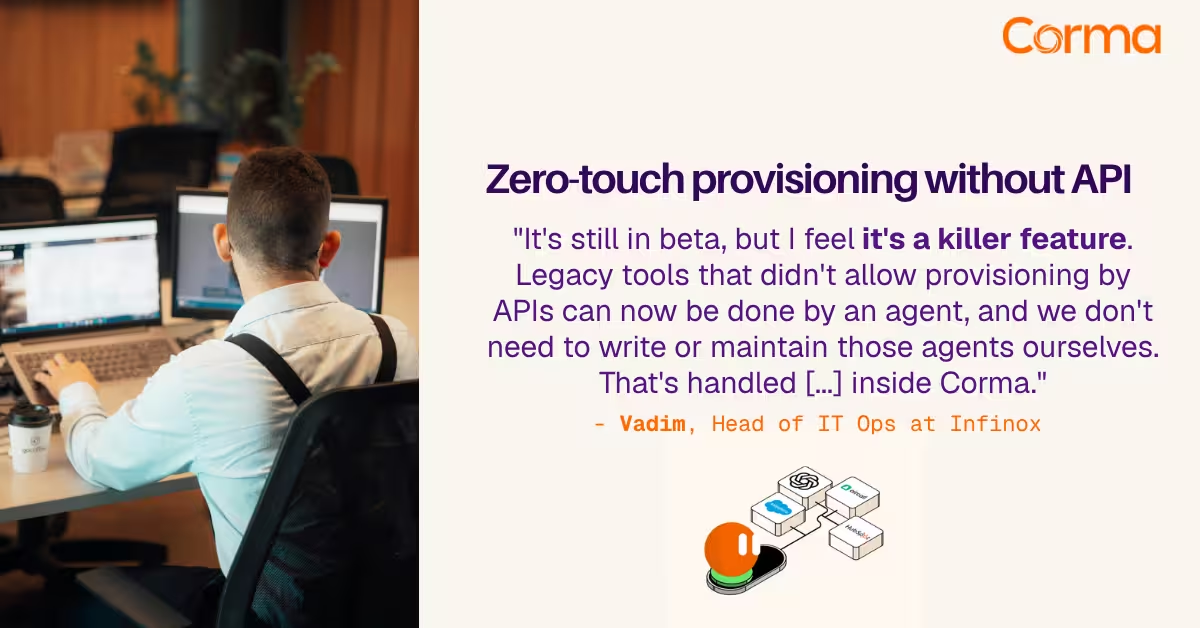
Corma’s custom agents in action at Infinox
The new standard in license management
Ready to revolutionize your IT governance?