How to Automate IT Onboarding and Offboarding: A Complete Guide for IT Teams
.avif)


Why IT onboarding and offboarding still break in 2026
Every new hire forces IT to provision accounts in 10 to 25 SaaS applications, configure SSO, push a laptop, and assign role-based permissions, often in less than 48 hours. Every leaver forces IT to do the reverse across the same surface, this time under tighter security and compliance constraints. Most teams still do both manually.
The numbers explain why this is a problem. According to BeyondTrust and SE-Ranking-cited 2025 industry data, the average enterprise now runs around 275 SaaS applications, up from roughly 130 in 2022. Sapling research finds that new hires are typically given 54 onboarding tasks to complete. CareerBuilder reports that two in five HR managers without digital onboarding spend 3+ hours per new employee on paperwork alone. And StrongDM data shows that 20% of employee turnover happens within the first 45 days, with poor day-1 IT readiness being a top driver.
Manual offboarding is even riskier. The Capital One breach in 2019 was traced to a dormant IAM role with persistent credentials. In 2025, an Akira ransomware incident at a manufacturer was linked to an orphaned third-party vendor account that had never been deactivated. Orphaned accounts are now one of the top causes of breach in audit reviews tied to ISO 27001, SOC 2 and NIS2.
This guide is written for IT managers, CIOs and IT operations leads who want to move from a reactive, ticket-driven user lifecycle to a fully automated one. We cover the cost model, the canonical Joiner-Mover-Leaver (JML) framework, two step-by-step playbooks, the technical foundations (SCIM, SAML, IDP, HRIS sync), the compliance angle, and how a SaaS Management plus IAM platform like Corma closes the loop end to end.
What is IT onboarding and offboarding automation?
IT onboarding and offboarding automation is the practice of triggering user lifecycle actions (account creation, role-based access, license assignment, deprovisioning, license reclaim) from authoritative HR or identity events, with no manual ticket required. In practice, automation links three layers: the HRIS (system of record), the identity provider (IDP), and every SaaS application in the stack.
Concretely, automation means the following: when a new employee record appears in the HRIS, the platform creates an identity in the IDP, provisions accounts in all required apps via SCIM or API, assigns the right permissions based on role and department, and produces an audit trail. When the same employee leaves, the platform reverses every action, reclaims licenses, and documents who lost what access at what time.
This sits at the intersection of two product categories that used to be separate: SaaS Management Platforms (SMP), which give IT visibility and cost control over the application portfolio, and Identity and Access Management (IAM), which controls who has access to what. Modern platforms like Corma combine both into a single layer, so SaaS visibility and identity governance work from the same data model.
Key takeaway: automation is not just a faster ticket queue. Automated IT workflows replaces tickets with a deterministic process triggered by HR events, and produces compliance evidence as a byproduct of normal operations.
The hidden cost of manual IT onboarding and offboarding
The first reason to automate is financial, and it is larger than most IT leaders realize. Beyond Intranet's 2026 analysis estimates that a manual onboarding cycle costs roughly $1,500 to $1,800 in pure time, before factoring in errors, rework, and attrition. Once you add a poor day-1 experience, license waste and ex-employee security exposure, the blended cost per joiner-leaver cycle reaches $1,500 to $10,000+ per employee, depending on company size and tooling.
The breakdown below is a synthesis of public benchmarks (Beyond Intranet, StrongDM, Sapling, BeyondTrust, Stitchflow) and the patterns we see across European IT teams using Corma.
License waste deserves a closer look. Studies from Productiv, Zluri, and Corma's own customer benchmarks consistently show that 20 to 30% of paid SaaS seats sit on inactive or ex-employee accounts. Cleaning that up during a structured offboarding flow is one of the fastest ROI levers available to IT and finance, which is why we cover it in depth in the SaaS spend optimization playbook.
The cost of not automating is therefore not just hours. It is also a permanent drag on SaaS spend, an ongoing compliance liability, and a quiet contributor to first-90-day attrition.
The Joiner-Mover-Leaver (JML) framework explained
What is the Joiner-Mover-Leaver framework?
The Joiner-Mover-Leaver (JML) framework is the canonical model for the user lifecycle in identity and access management. It defines three distinct events (joining, moving roles internally, leaving) and the IT actions that should fire automatically at each one. It is the foundation of every modern IT onboarding and offboarding automation strategy.
The reason JML matters is that it forces IT to think in terms of HR-driven triggers rather than ad-hoc tickets. Every action becomes deterministic: a person joins, the system fires a sequence; a person is promoted, a different sequence fires; a person leaves, a third sequence fires. There is no ambiguity about what should happen, no shadow process where a manager sends an email and hopes for the best.
What happens in each JML phase?
A clean JML implementation also feeds automated access reviews: if every entitlement is granted by a JML rule, then reviewing entitlements becomes a question of "are the rules still correct?" rather than "what does this random person have access to?". For a deeper IAM-focused reference, Corma maintains a glossary of identity access management terms that maps the vocabulary to JML.
How to automate IT onboarding: a 7-step playbook
Here is the playbook we recommend for IT teams of 50 to 500 employees, based on what works for Corma customers like Brevo and Apgar. Each step assumes you are moving away from tickets and toward HRIS-triggered workflows.
Step 1: make the HRIS your source of truth
Decide which system holds the canonical employee record (Workday, BambooHR, HiBob, Personio, Lucca, etc.) and treat it as the only valid trigger for IT actions. No ticket, no spreadsheet, no email should be able to create or change an identity. Everything starts in the HRIS.
Step 2: build a clean role and department model
For each role and department combination, define the app bundle (the set of SaaS apps the employee needs) and the entitlement level in each app. This is your role-based access control (RBAC) baseline. If you skip this step, automation just propagates messy permissions faster.
For a deeper dive on RBAC modeling, see Corma's step-by-step guide on designing and implementing an RBAC model.
Step 3: connect the IDP and apps natively
Plug your IDP (Microsoft Entra ID, Okta, Google Workspace, JumpCloud) into the platform that will orchestrate provisioning. Then connect every SaaS app, ideally via SCIM and SAML, and where SCIM is not available, via API or robotic playbooks. Corma supports both natively, including for apps that don't support SCIM.
Step 4: define the day-minus-7 to day-1 sequence
Pre-boarding starts the moment the offer is signed. Your automation should:
- Generate the identity in the IDP at day -7
- Provision accounts in core apps at day -3
- Send credentials and welcome instructions to the personal email at day -1
- Activate SSO and trigger day-1 readiness checks the night before the start date
This pre-boarding logic is a major lever on first-90-day retention, as covered in Corma's article on optimizing software management from onboarding and beyond.
Step 5: Push approvals only where they create value
Most onboarding actions are deterministic and need no human approval. Reserve approval workflows for sensitive cases: privileged accounts, high-cost licenses, regulated apps. Approvals on every line item turn automation back into a ticket queue.
Step 6: Produce evidence as you go
Every provisioning action should automatically produce a log entry: who triggered it, what was provisioned, when, and on which approval. This is what makes audits painless and what feeds your SOC 2, ISO 27001 and NIS2 controls.
Step 7: Measure time-to-access and iterate
Define a single north-star metric: time-to-access, measured from HR record creation to "all required apps usable". Best-in-class IT teams hit under 4 hours on this metric. Anything above 24 hours signals that a step in your sequence is still manual.
For the bigger picture on automated provisioning architecture, see Corma's reference article on automated user provisioning as the future of onboarding and access management.
How to automate IT offboarding: a 7-step playbook
Offboarding is the higher-risk side of the lifecycle. A missed access revocation is a security exposure, a compliance breach, and a license cost, all at once. The same JML logic applies, in reverse.
Step 1: Capture the leaver event in the HRIS
The termination date in the HRIS is the canonical trigger. Voluntary resignation, end of contract, dismissal: all flow through the same field. Anything that is not in the HRIS does not trigger offboarding, which is exactly the rule you want.
Step 2: Disable SSO immediately at termination time
The first action of an automated offboarding sequence should be disabling the SSO session in the IDP. This locks the user out of every SAML-protected app instantly. Everything else (full deprovisioning, mailbox archival, license reclaim) can happen on a slightly slower schedule, but SSO must die at termination time.
Step 3: Revoke access in every connected SaaS app
Walk through the entire app inventory and revoke access programmatically: SCIM-deprovision where supported, API-revoke where SCIM is not available, and use playbooks for the long tail of apps with no automation API. This is where most manual offboarding fails: IT covers the obvious 5 to 10 apps and forgets the remaining 30. This can be especially helpful for self-service access requests which are historically coming with a lot of manual work by the IT teams.
Step 4: Transfer ownership of documents and data
Files in Google Drive, Notion pages, Confluence spaces, Slack DMs, GitHub repos: each requires explicit ownership transfer before the account is deleted. Automation should generate a checklist per app, route it to the manager, and block account deletion until ownership is reassigned.
Step 5: Reclaim licenses and compute the savings
For every revoked seat, reclaim the license and update your subscription metrics. Best-in-class platforms do this automatically and produce a monthly "licenses recovered through offboarding" report. Most companies are stunned by the resulting number.
Step 6: Kill API tokens, personal access tokens and shared secrets
Often forgotten, often dangerous. Personal access tokens in GitHub, GitLab, AWS, GCP, internal admin panels: these survive SSO disabling because they are credentials in their own right. A complete offboarding flow enumerates and revokes them.
Step 7: Produce a deprovisioning report per leaver
For audit and compliance: a single report per leaver that lists every app, the deprovisioning timestamp, the responsible system, and any exception. This is the evidence pack that will be requested in your next ISO 27001 or SOC 2 audit. Done correctly, automation produces it without anyone writing a line.
For the specific case of apps that resist standard automation (SCIM, SAML, SSO not supported), Corma maintains a dedicated guide on identity lifecycle and offboarding for applications that don't support SCIM, SAML or SSO.
The technical foundations: SCIM, SAML, IDP and HRIS sync
What does SCIM do?
SCIM (System for Cross-domain Identity Management) is an open standard, defined by RFC 7644, that lets an identity source push user account changes (create, update, delete) into a target SaaS application via a standard REST API. When an app supports SCIM, your platform can provision and deprovision accounts in that app without anyone clicking inside its admin console.
In practice, SCIM is what makes the "leaver event triggers immediate access revocation across 50 apps" promise actually work.
What does SAML do?
SAML (Security Assertion Markup Language) is the standard that lets a user log into many apps with a single identity from your IDP. SAML enforces the authentication side ("can this person log in?") while SCIM enforces the provisioning side ("does this person have an account at all, and what permissions?"). The two work together but are not interchangeable.
For a quick walkthrough, see Corma's reference on understanding SCIM and SAML in under 5 minutes.
What is an IDP?
An identity provider (IDP) is the system that stores user identities, authenticates them, and issues SAML or OIDC tokens to applications. The four most common IDPs in mid-market European IT stacks are Microsoft Entra ID, Okta, Google Workspace and JumpCloud. Corma connects natively to all four, and the choice between them is well documented in Corma's articles on Okta vs Google SSO and JumpCloud vs Google SSO.
Why HRIS sync is non-negotiable
Without HRIS sync, you have no canonical trigger. The IDP knows who exists in identity terms but does not know when someone is hired or terminated. The HRIS knows the lifecycle events but does not push them anywhere. Sync between the two is what closes the loop and makes everything else (SCIM, SAML, role-based provisioning) actually fire on time.
For a deeper architectural view of how Corma orchestrates HRIS, IDP and SaaS apps, see Corma's user provisioning and access management technology page.
How automation supports ISO 27001, NIS2, SOC 2 and GDPR
Compliance is the second-strongest reason to automate the lifecycle, often the one CFOs and security teams care about most. Every major framework relevant to European IT teams has explicit requirements on user provisioning and deprovisioning evidence.
ISO/IEC 27001:2022 requires that access rights are granted, modified, and revoked according to a documented policy, with traceable evidence. Annex A controls A.5.16 (identity management) and A.5.18 (access rights) are direct mappings to JML. Corma is itself ISO/IEC 27001:2022 certified. We cover the topic in depth in the ISO 27001 and IAM implementation guide and the user access reviews roadmap for ISO 27001.
The NIS2 directive, which entered into force across the EU in October 2024, mandates timely access revocation as part of essential entity obligations. Member-state transpositions vary, but the substance is consistent: you must be able to demonstrate that ex-employee access is removed, and you must do it on a defensible timeline. See Corma's NIS2 explainer on what the new NIS2 directive means and how to achieve compliance.
SOC 2 Trust Services Criteria CC6.1 to CC6.3 require evidence that logical access is provisioned based on the principle of least privilege, periodically reviewed, and revoked promptly when no longer needed. Automation produces this evidence as a normal output of operations. The Corma article on SCIM and SAML for SOC 2 and ISO 27001 maps the technical patterns to the controls.
GDPR introduces a separate angle: data minimization and storage limitation. Ex-employee accounts that retain personal data are a GDPR exposure too, not just a security one. Hosting the IAM platform itself in the EU is a meaningful differentiator, and one of the reasons Corma operates entirely on European infrastructure.
5 common automation mistakes to avoid
Most failed automation projects fall into one of five patterns. Avoiding them is often more valuable than picking the "best" platform.
- Automating a broken process. If your role model and your app inventory are messy, automation just propagates the mess at higher speed. Spend the first two weeks cleaning roles and de-duplicating apps before plugging anything in.
- Skipping the long tail of apps. SCIM coverage is great for the top 10 apps in your stack. The next 40 apps are typically what break offboarding. Pick a platform that supports SCIM, API, and robotic provisioning so the long tail does not stay manual.
- Treating offboarding as a checklist instead of a sequence. A checklist is a list of things humans should do. A sequence is a deterministic flow the platform executes. The two are not the same thing.
- Forgetting service accounts and tokens. Personal access tokens and shared service accounts are the most overlooked deprovisioning surface. They are also the most commonly exploited in post-employment breaches.
- Not measuring time-to-access and time-to-deprovision. Without metrics, you cannot tell whether the automation is actually faster than the old process. Two metrics, two dashboards, monthly review.
For more on the underlying causes and a typical IT-leader perspective, see Corma's article on the silent crisis of SaaS sprawl for IT leaders.
Why Corma is built for IT teams that want to automate the lifecycle
Most platforms in this space cover one side of the problem: either pure IAM (Okta, JumpCloud, Entra ID) or pure SaaS Management (Zluri, BetterCloud, Productiv). Corma combines both layers natively, and is built for European mid-market IT teams (50 to 500 employees) who need real automation without a US-residency compromise.
What Corma actually does for IT onboarding and offboarding
Corma plugs into your HRIS and your IDP, then orchestrates the full lifecycle across every connected SaaS app. The platform supports SCIM and SAML where available, and runs scripted playbooks for the apps that resist standard provisioning. It produces audit-grade evidence by default, reclaims licenses on every leaver event, and integrates the result into your SaaS spend reporting.
Concretely, IT teams using Corma typically report:
- Time-to-access reduced from days to under 4 hours
- Time-to-deprovision reduced from weeks to under 1 hour for SSO, under 24 hours for the full app stack
- Up to 30% reduction in SaaS spend through automated license reclaim
- Audit evidence packs produced on demand for ISO 27001, NIS2, SOC 2
For the IT-team-specific page, see Corma's IAM solution for IT teams. For a focused view of the provisioning and onboarding layer, see Corma's IAM solution for automated provisioning and onboarding. And for the HR-IT collaboration angle, see how Corma helps HR teams automate onboardings and offboardings to all apps.
Want to see how this looks on your stack? Request a demo of Corma and we will run through your specific HRIS, IDP and top 10 SaaS apps.
FAQ
How long should IT onboarding take in 2026?
For a fully automated stack, the technical onboarding (identity, accounts, SSO, role-based access) should be complete in under 4 hours from the moment the HRIS records the new hire. Cultural onboarding still spans 30 to 90 days, but IT readiness is what drives the day-1 experience and the 45-day attrition risk.
What is the difference between onboarding and provisioning?
Onboarding is the broader people process (welcome, training, equipment, culture). Provisioning is the technical subset: creating identity, granting access, assigning licenses. Provisioning is what IT teams own and what automation directly addresses. A good onboarding experience requires good provisioning, but provisioning alone is not onboarding.
What is the most secure way to handle offboarding?
The most secure offboarding sequence disables SSO at the exact termination time, then deprovisions every connected app in parallel via SCIM or API, transfers document ownership, kills API tokens and personal access tokens, and produces a per-leaver evidence report. The whole sequence should complete within 24 hours of the HR event, and SSO disabling should be immediate.
Do I need both an IDP and a SaaS Management platform?
Yes for most mid-market IT teams. The IDP handles authentication and the canonical identity. The SaaS Management plus IAM platform handles application-level provisioning, deprovisioning, license reclaim and spend visibility. They cover different parts of the stack and complement each other. Corma is built to plug into your existing IDP rather than replace it.
How do I automate apps that don't support SCIM or SAML?
For apps without SCIM or SAML, you have three options: native API integration (most common path), robotic playbooks that script the admin console, or vendor-provided CSV imports. Corma combines all three so the long tail of apps stops being manual. We cover this scenario in detail in the dedicated article on identity lifecycle for non-SCIM apps.
What is an orphaned account, and why is it dangerous?
An orphaned account is an active user account in a SaaS application or directory that no longer corresponds to a current employee. Orphaned accounts are dangerous because they retain access (often privileged) without an owner to monitor or rotate credentials, which makes them prime targets for credential stuffing and post-employment misuse. Major breaches (Capital One 2019, Akira ransomware 2025) have been traced to orphaned accounts.
Is Corma a fit for European IT teams concerned about data residency?
Yes. Corma is hosted entirely in the EU, certified ISO/IEC 27001:2022, and built to align with GDPR, NIS2 and DORA expectations from day one. Most US-based competitors are GDPR-compliant by contract but host customer data outside the EU, which is a meaningful difference for IT teams in regulated industries or under works-council scrutiny.
%20as%20a%20mid-market%20IGA.avif)
Is C1, formerly ConductorOne, right for mid-market IGA? Pricing, coverage and alternatives


Okta pricing 2027: real cost per user, hidden fees and what mid-market teams pay
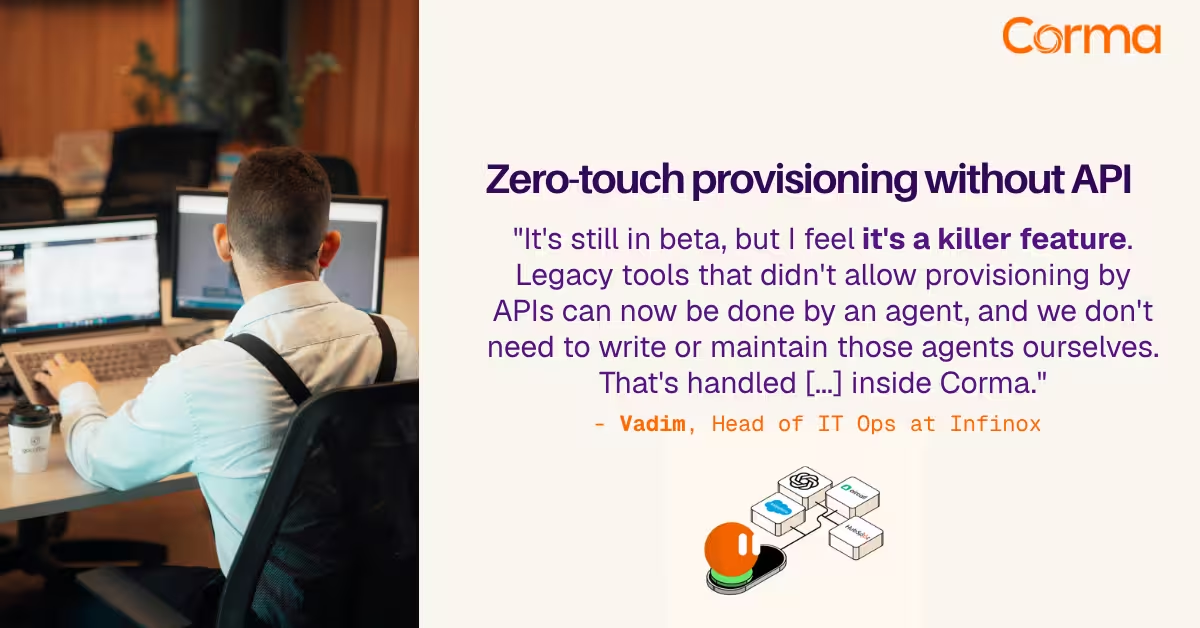
Corma’s custom agents in action at Infinox
The new standard in license management
Ready to revolutionize your IT governance?