Workflow Builder
IT Workflows on autopilot
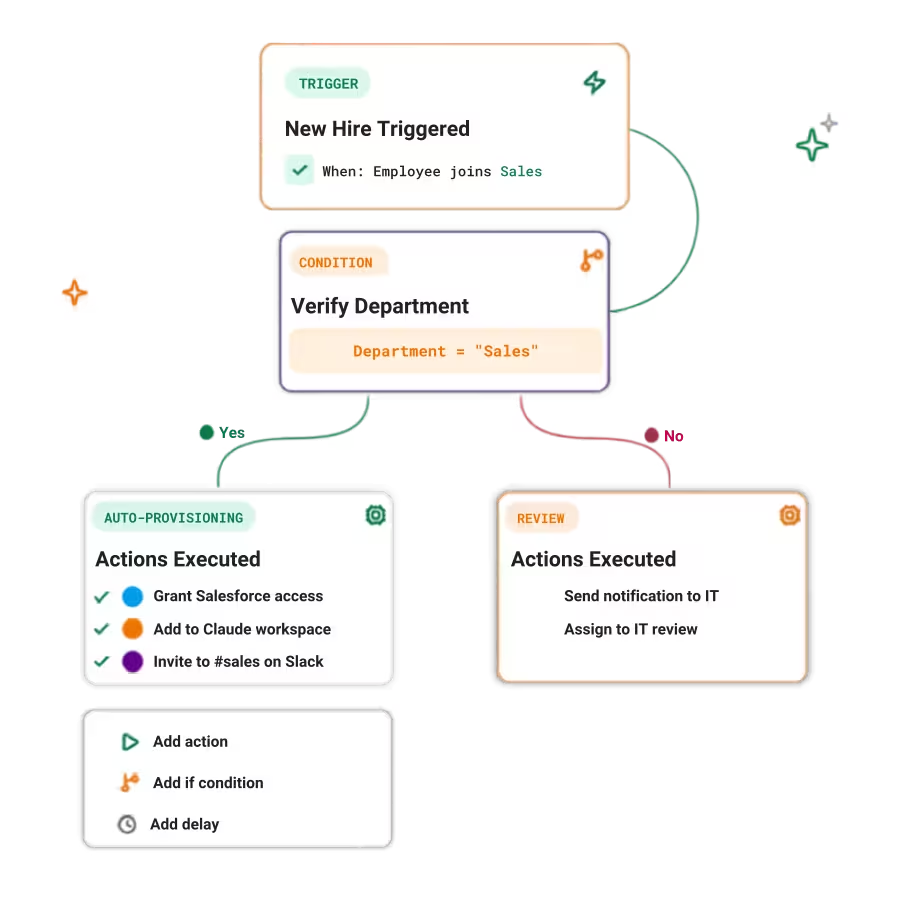
The automation engine. Trigger, route, and resolve access events across all connected apps with hundreds of available actions — in natural language.
Outcomes you
can Measure
70%
less manual actions in standard workflows
85%
reduction in average resolution time for access-related tickets

Christophe Torride
Chief of Staff
Hivenet

Workflows designed for IT
Use workflows that are designed for how IT teams actually work, with pre-built steps, templates, and app-specific actions. Workflows that can be customized and handle the nuances of each system.

Trigger workflows from Corma, HRIS, IdP, your apps or through APIs
Start workflows for joiners, movers, leavers, inactive users, upcoming renewals, or newly discovered SaaS apps.
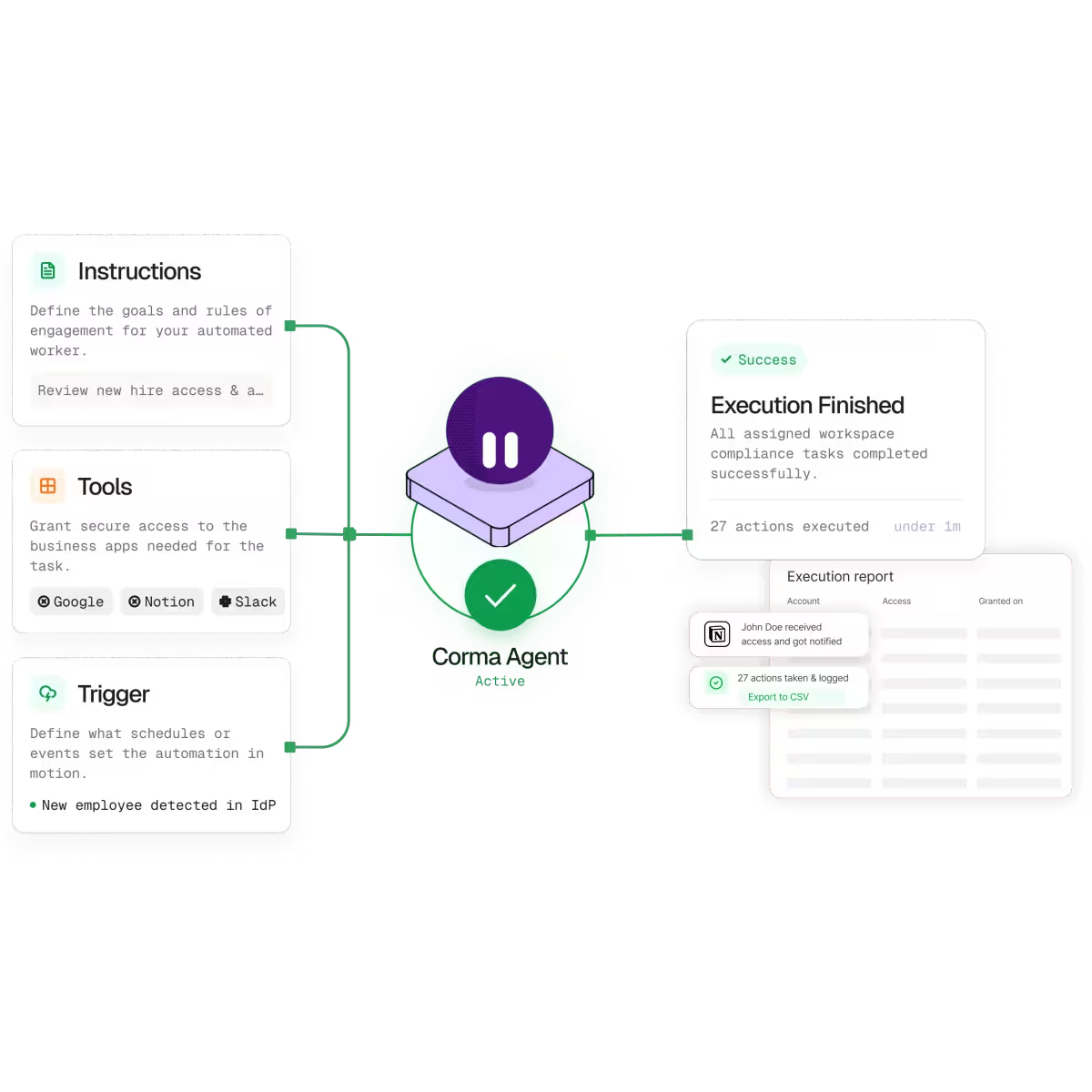


Customizable workflows
Use interfaces like Slack or Teams to generate tickets either in forms or in natural language. Once a ticket is created the workflow automatically runs in the background and you get notified when it's done.
Human in the loop
Vibe coding comes with side effects. Keep the human in the loop if smart admin approval systems with a clear audit trail so you know why something is happening before it happens.
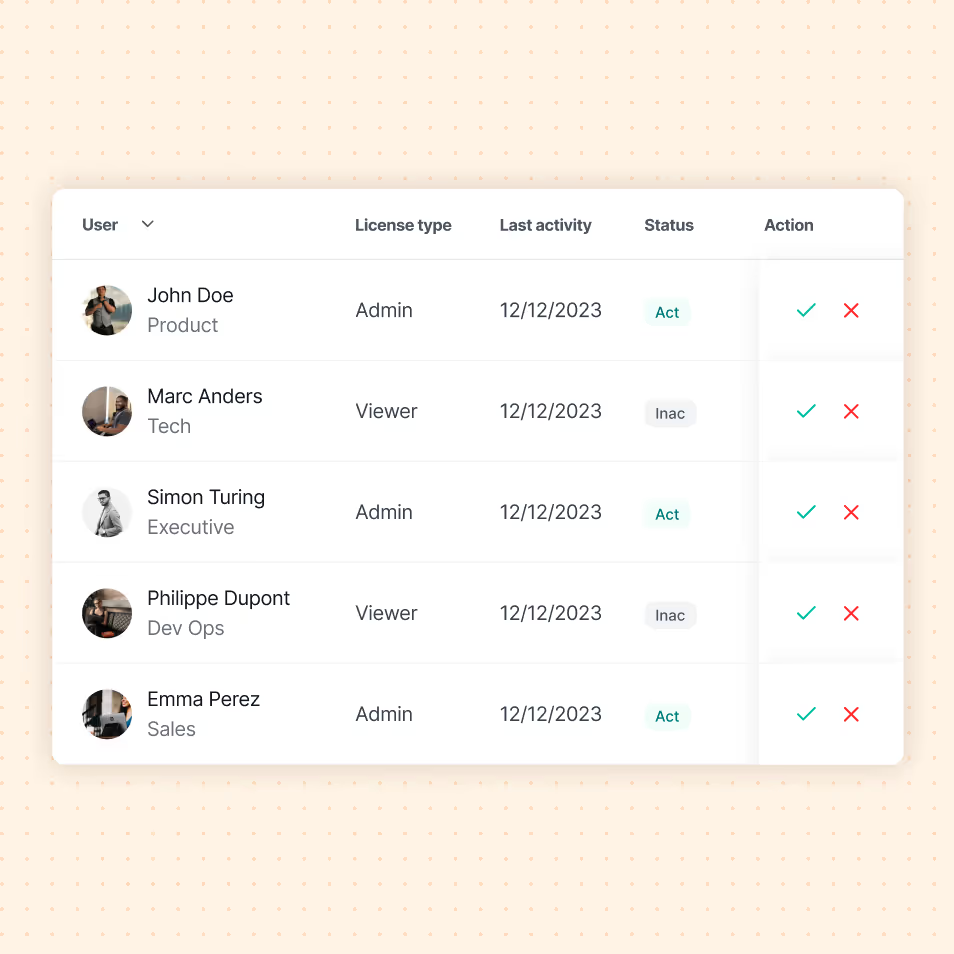
The new standard in license management
Ready to revolutionize your IT governance?










What is an IT workflow builder?

An IT workflow builder is a tool that lets IT teams design and automate repetitive processes, such as user onboarding, access approvals or offboarding, without writing code. Corma's builder connects your SaaS apps so each step runs automatically, triggered by events like a new hire or a role change.
How does IT workflow automation work?
IT workflow automation replaces manual, repetitive IT tasks with rules-based sequences. You define a trigger, for example a new employee, then chain actions like creating accounts, granting app access and notifying managers. Corma executes these steps across your SaaS stack automatically, with full logging.
How does IT workflow automation save time?
By removing manual handoffs. Tasks that once took hours of ticket work, like provisioning a new hire across ten apps, run in seconds. This cuts errors, shortens onboarding time and frees your IT team for higher-value work.
Do you need coding skills to build IT workflows?
No. Corma's IT workflow builder is no-code, so IT teams build and adjust workflows through a visual interface. You do not need scripting or developer resources to automate provisioning, approvals or offboarding.
What IT processes can you automate with Corma?
With Corma you can automate onboarding and offboarding, access requests and approvals, license provisioning, group membership changes and recurring access reviews. Any repetitive IT process that spans multiple SaaS apps can be turned into an automated workflow.
.avif)
.avif)