How to Manage Identity Lifecycle and Offboarding for applications that don’t support SCIM, SAML or SSO
.avif)


.png)
Managing Identity Lifecycle and Offboarding for Applications Without SCIM, SAML, or SSO
This guide is designed for IT teams, security professionals, and identity governance teams responsible for managing user accounts and access across complex application environments. The focus is on managing the identity lifecycle and offboarding for applications that do not support SCIM, SAML, or SSO—technologies that are often assumed to be universal but, in reality, leave significant gaps.
It is a widespread problem: across most vendors, there is no support for SAML or SCIM support (or it's locked behind expensive tiers ) which is needed to manage access centrally. So you end up deprovisioning manually. Also fun for those tools that have OIDC but still allow username/password logins or have unlimited session times like Slack. And extra annoying if your IT isn't fully centralized and you need to trust that tool owners actually do their job. In the age of Shadow IT, this is a basically impossible task - rarely does an access review or audit not find countless abandoned or unused seats and licences.
The challenge is especially apparent during the offboarding. Ensuring proper offboarding and lifecycle management for all applications is critical to maintaining security, compliance, and cost control. Many organizations believe their user account management is under control because they have invested in single sign-on (SSO)—single sign-on (SSO) is an authentication scheme that allows a user to log in with a single ID to any of several related, yet independent, software systems. This is done by setting up identity providers and connecting core cloud apps. However, a significant portion of accounts exist outside these centralized access management systems.
IGA tools play a critical role in managing these unmanaged accounts. An Identity Governance and Administration (IGA) tool automates and manages user identities and access rights across an organization's IT systems. These tools are essential for organizations seeking to close the gaps left by applications lacking SCIM, SAML, or SSO support.
What Is an IGA Tool and Why Does It Matter?
An Identity Governance and Administration (IGA) tool automates and manages user identities and access rights across an organization's IT systems. Key features of IGA tools include automated provisioning, access requests, certification, and risk analytics. Implementing an IGA tool provides a centralized framework for managing user identities and access rights. This is especially important for applications that do not support SCIM, SAML, or SSO, as IGA tools can automate lifecycle management and offboarding processes that would otherwise be manual and error-prone.
Key Takeaways
- Just like the SSO tax, there’s a hidden cost to SAML APIs—many applications simply don’t support modern identity standards, leaving accounts unmanaged and invisible to your security team.
- Industry estimates suggest 20-30% of user accounts in mid-sized organizations exist outside SSO or SAML coverage, including tools with basic authentication only, legacy on-premise systems, custom internal apps with local authentication, and departmental purchases that bypassed IT entirely.
- Offboarding creates the biggest risk: traditional deprovisioning doesn’t reach these unmanaged systems, forcing companies to rely on manual tickets to app owners. These requests fail 40-60% of the time due to delays or neglect, leaving access privileges open indefinitely.
- IGA tools help organizations discover, inventory, and automate user provisioning across both managed and unmanaged applications, providing the visibility and control needed for compliance and security.
- Advanced solutions use multiple data sources (APIs, browser extensions, machine agents, and AI agents) to ensure no account is left behind, even in applications without SCIM protocol support.
The Problem: Unmanaged Accounts
Types of Unmanaged Accounts
Unmanaged accounts are user identities that exist outside your centralized identity management systems. They don’t flow through your identity provider, aren’t covered by your SSO system, and won’t respond to your standard deprovisioning workflows.
These accounts typically appear in:
- Basic auth tools: Older applications that only support username and password combinations, requiring users to manage multiple passwords.
- Legacy on-premise systems: Enterprise software deployed before modern identity standards existed, often lacking any API integration.
- Custom internal apps: Homegrown tools built by development teams with local authentication, often storing user credentials directly in application databases.
- Shadow IT: SaaS tools purchased directly by departments without IT oversight, bypassing corporate security policies entirely.
Visibility Challenges
The fundamental challenge is visibility. Without integration points, these accounts don’t appear in your universal directory or identity management dashboards. IT teams often don’t even know these applications exist, let alone which employee accounts have access to them.
Manual Tracking Risks
Manual tracking is both time consuming and error-prone. Security teams can’t audit what they can’t see, and as your organization grows, the problem compounds. A specific user might have accounts in dozens of systems that no centralized tool tracks.
Real-World Impact
The consequences of unmanaged accounts fall into four categories:
The Offboarding Challenge
The Gap in Deprovisioning
When an employee leaves, your HR system triggers account termination. This flows to your identity provider, which revokes access to connected applications. For apps supporting SCIM provisioning—SCIM is an open standard designed to manage user identity information—or the security assertion markup language (SAML), this works seamlessly.
But what about everything else?
Most IAM tools can only remove users from applications they’re connected to. The service provider needs to support modern standards, or your automated workflows simply don’t reach it. This creates a two-tier system: connected applications get proper user lifecycles, while everything else relies on manual processes.
Ticket-Based Offboarding
Companies typically handle unmanaged app offboarding through tickets. Someone in IT sends a request to the app owner asking them to revoke the departing employee’s user access. The owner might be busy, might be on vacation, or might not even know they’re responsible for that application anymore.
Consequences of Manual Offboarding
Research suggests these manual ticket processes fail 40-60% of the time. The result? Lingering access that creates ongoing security vulnerabilities. Former employees retain the ability to access sensitive data, customer information, or internal systems indefinitely.
Beyond security, there’s the financial waste. Every month those accounts remain active, you’re paying for licenses nobody uses. Multiply this across hundreds of employees who’ve left over the years, and the numbers become substantial.
Understanding these offboarding challenges highlights the need for automated, centralized solutions—leading us to the role of IGA tools.
What about using the SCIM protocol for that?
SCIM is an open standard designed to manage user identity information. SCIM provides a defined schema for representing users and groups, and a RESTful API to run CRUD operations on those user and group resources. SCIM simplifies user provisioning by providing a standard for securely exchanging information between identity providers and cloud apps.
Is the SCIM Scheme the new SSO tax?
The SCIM (System for Cross-domain Identity Management) protocol, while designed to standardize and simplify user provisioning and deprovisioning across applications, risks becoming the "new SSO tax" for organizations. Just as SSO introduced hidden costs—such as integration complexity, vendor lock-in, and ongoing maintenance—SCIM adoption can create similar challenges. Many applications still lack native SCIM support, forcing companies to rely on workarounds, custom scripts, or third-party connectors, which add layers of complexity and expense. Additionally, implementing SCIM often requires significant upfront development effort, especially for legacy or custom-built systems, and ongoing maintenance to keep integrations functional. While SCIM undeniably improves automation and security for user lifecycle management, its limitations—particularly in covering all applications—mean organizations may still face gaps, manual processes, and unexpected costs, much like the early days of SSO. The real solution lies in adopting flexible, multi-source platforms (like Corma) that go beyond SCIM to ensure 100% coverage—without the hidden tax.
This brings us to the importance of IGA tools in bridging these gaps.
What Is an IGA Tool?
An Identity Governance and Administration (IGA) tool automates and manages user identities and access rights across an organization's IT systems.
Key Features of IGA Tools
Key features of IGA tools include:
- Automated provisioning
- Access requests
- Certification
- Risk analytics
Implementing an IGA tool provides a centralized framework for managing user identities and access rights.
Governance vs. Administration
IGA separates into two complementary functions:
- Identity Governance: The oversight layer—policies, access reviews, compliance reporting, continuous risk analysis, and audit trails.
- Identity Administration: The operational layer—automated provisioning, deprovisioning, password management, and entitlement management.
For compliance frameworks like SOX, GDPR, HIPAA, and ISO 27001, governance provides the evidence auditors need. Administration provides the automation that makes secure access scalable.
Why Organizations Need IGA in 2026
The business environment has fundamentally shifted since 2020. Average enterprises now use 200+ applications. Thirty percent of the workforce operates in hybrid arrangements. Regulatory pressure continues tightening—the SEC now requires breach reporting within four days, while GDPR violations can cost up to 4% of global revenue.
Manual governance simply cannot scale to meet these demands.
Concrete Risk Examples
The statistics paint a concerning picture. According to the Verizon DBIR, 74% of breaches involve identity-related vectors. Dormant accounts rank among the top attack vectors. Studies consistently show excessive admin rights in roughly half of users, and ex-employee access lingering in 25% of cases.
Consider these scenarios:
- A finance analyst who changed roles three years ago still has access to payment approval systems.
- A contractor whose project ended retains login credentials to your production databases.
- Shared accounts in legacy systems have no documented ownership.
- Department heads don’t know which cloud resources their teams can access.
Audit Expectations Have Changed
IGA tools have become a key control cited in audit findings and security assessments. Auditors no longer accept spreadsheets showing who approved what access. They want automated evidence trails showing authenticating users, approval workflows, and regular access reviews.
Organizations implementing IGA typically see orphaned accounts reduced by 80-90% and dramatic improvements in audit findings within 12-18 months.
With these needs in mind, it's important to understand how IGA tools differ from other identity management solutions.
How IGA Tools Differ from IAM, SSO, and PAM
Understanding the identity landscape helps clarify where IGA fits and what gaps it fills.
IAM: The Umbrella Concept
Identity and Access Management (IAM) encompasses everything related to managing digital identities. IAM solutions handle authentication (proving you are who you claim) and authorization (determining what you can access). IGA sits within this umbrella but focuses specifically on governance and administration rather than real-time access decisions.
Comparison Table: IGA vs. SSO, SCIM, and PAM
A Practical Example
A new finance analyst is hired in March 2026:
- HR enters the hire into Rippling (HRIS).
- IGA reads the HR trigger and applies role-based rules.
- The analyst receives access to Microsoft Entra ID (IdP), finance applications, and collaboration tools.
- Manager approval workflows route automatically.
- The analyst uses SSO to access new apps with one password.
- Quarterly access reviews verify entitlements remain appropriate.
- On termination, IGA triggers deprovisioning across all connected systems.
The challenge? Steps 2-7 only work for applications with API integrations or strong authentication protocol support.
This limitation is where advanced solutions like Corma come into play.
Closing the Gap in Access Management: How to manage 100% of Your Applications
What if you could automatically discover, manage, and deprovision every single account in your organization—even those hidden in legacy tools, custom apps, or shadow IT?
Traditional IGA tools hit a wall when applications lack API support. Corma’s comprehensive IAM platform for SaaS environments uses a multi-source, AI-driven approach to ensure no account is left behind, automating processes that typically remain manual and error-prone.
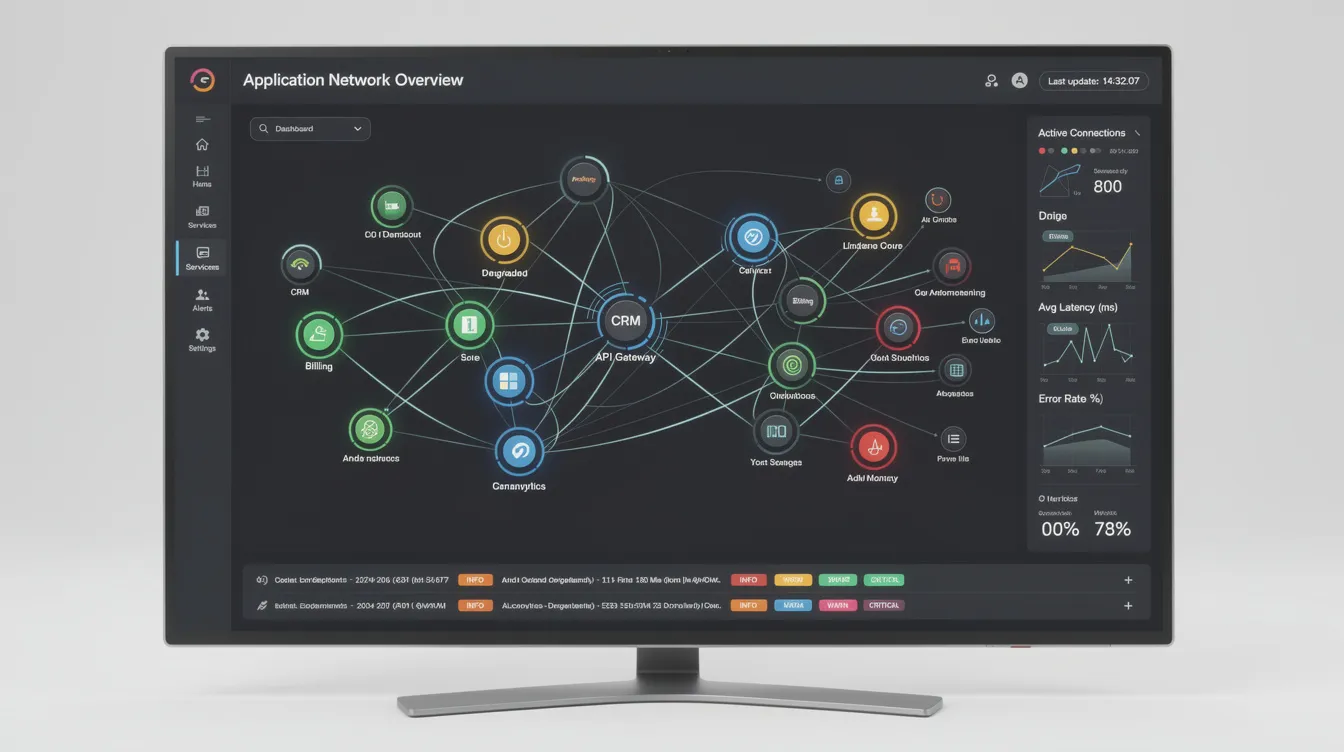
Corma's Multi-Source Approach
Corma connects to all data sources through multiple methods:
- API Integrations: Standard connections where available.
- Browser Extensions: Capture and manage access to web-based tools, including cloud based apps without SSO.
- Machine Agents: Monitor and manage on-premise or legacy systems.
- AI Agents: Automate complex workflows, such as deprovisioning in systems without APIs.
This multi-pronged approach means Corma works even when traditional SCIM standard integrations don’t exist.
How Corma Automates Provisioning and Deprovisioning
Corma pulls identity data from your HRIS, IAM systems, SaaS applications, and internal databases. Browser extensions identify tools employees access that IT doesn’t officially manage. Machine agents handle on-premise systems that can’t connect to cloud services. AI agents navigate application interfaces to automate user provisioning and deprovisioning where no API exists, giving security teams continuous SaaS security posture management and access monitoring.
Discovering Unmanaged Accounts in Identity Management
Automated Inventory
Corma scans and inventories all accounts—managed and unmanaged—across your organization. This automated discovery identifies:
- Shadow IT from departmental purchases
- Legacy systems with local user credentials
- Applications bypassing corporate security policies
- Accounts for former employees that were never deprovisioned
Real-Time Visibility
Dashboards provide IT teams with a single pane of glass showing all user accounts. Alerts flag suspicious patterns: accounts with no recent activity, users with access to applications outside their role, or accounts that should have been removed months ago.
Automating (De)Provisioning with IAM Solutions Without the SCIM Protocol
No SCIM? No Problem.
Next to the SSO tax, there is also a tax on SCIM APIs. For applications without SCIM APIs, Corma’s AI agents handle user lifecycle management automatically. When HR marks an employee’s termination date, Corma doesn’t just revoke access to connected applications—it ensures every account, everywhere, gets disabled.
Example: An employee leaves and has an account in a 15-year-old internal tool that predates your SSO implementation. Corma’s AI agent logs into that tool and revokes access automatically, saving time and eliminating the manual ticket that would otherwise fail 50% of the time.
Workflow Automation
Corma integrates with HR systems to trigger actions instantly when an employee’s status changes. Customizable rules handle different requirements for various roles, departments, or regulatory requirements.
Ensuring Compliance and Reducing Risk
Audit Trails
Corma logs all access changes with timestamps, creating proof of compliance for audits. Every provisioning decision, every revocation, every access review—documented and exportable.
Access Reviews
Automated periodic reviews flag accounts that don’t meet policy requirements. Managers review their team’s access through simplified interfaces, with AI recommendations highlighting what should probably be revoked.
Cost Savings
Corma eliminates wasted spend on licenses for inactive users. For enterprises overspending millions annually on ghost accounts, this represents significant value added services beyond security alone.
With Corma, organizations can achieve true end-to-end identity lifecycle management, even for the most challenging applications.
FAQ
Do we need IGA tools or IAM tools if we already use SSO and MFA?
SSO and multi factor authentication address authentication—verifying that the user signs in is who they claim to be. But they don’t manage the full lifecycle of who gets what access, under which policies, or how that access is reviewed over time.
Organizations typically adopt SSO and MFA first for their security features, then add IGA when they need structured access reviews and stronger compliance controls. In 2026, auditors explicitly ask for governance evidence that SSO and MFA alone cannot provide. If your compliance requirements include demonstrating who approved access, when it was granted, and whether it’s still appropriate, you need IGA.
What are unmanaged accounts, and why are they a problem?
Unmanaged accounts are user accounts existing outside centralized identity management systems. They typically appear in legacy systems, custom internal apps, or tools purchased by departments without IT oversight. These accounts create three primary risks:
- Security vulnerabilities: Access lingers after employees leave, providing attack vectors.
- Compliance gaps: Difficulty proving access control during audits; regulatory requirements unmet.
- Financial waste: Paying for licenses for users who no longer need access; costs money that could be saved.
Industry estimates suggest 20-30% of accounts in mid-sized organizations fall into this category.
What happens if an application doesn’t have a SCIM API?
Corma doesn’t rely solely on SCIM APIs. For applications without standard integration support, Corma uses:
- AI Agents: Automate user provisioning and deprovisioning by interacting with application interfaces.
- Machine Agents: Manage access for on-premise or legacy systems that can’t connect to cloud services.
- Browser Extensions: Handle web-based tools that lack APIs.
This guarantees applications without SCIM support receive full coverage—no accounts left unmanaged.
How does Corma discover unmanaged accounts?
Corma uses a multi-pronged approach for 100% coverage:
- Data Source Integration: Connects to HRIS, IAM systems, SaaS apps, and internal databases via APIs.
- Browser Extension: Captures access to web-based tools, including those without SSO, by monitoring which applications employees actually use.
- Machine Agent: Monitors on-premise and legacy systems, identifying accounts in applications that can’t connect to cloud identity providers.
- AI Agent: Identifies patterns and automates workflows for systems without APIs.
This comprehensive approach ensures every account—managed or unmanaged—is discovered, tracked, and properly governed through its entire lifecycle.
Can an IGA tool help with contractor and third-party access to do SCIM Provisioning?
Modern IGA tools handle non-employee identities effectively. Contractors, partners, and service accounts often fall outside standard HR processes, making them harder to track and more likely to retain access longer than appropriate.
IGA platforms support separate identity types with stricter controls: time-bounded access that expires automatically, additional approval requirements, and automated reviews triggered by contract end dates. Given that third-party access appears in roughly 40% of breach investigations, controlling these identities through a proper IGA tool significantly reduces organizational risk.
SaaS vendor and renewal management: control renewals

Separation of Duties in IAM: how to enforce SoD across SaaS
Using Google Workspace as an IAM in Small and Mid-Size Teams
The new standard in license management
Ready to revolutionize your IT governance?