Corma’s custom agents in action at Infinox



Infinox, a global CFD brokerage fintech, has grown close to threefold in the past year through expansion and acquisition, and its IT operations team has had to keep access under control across all of it. We spoke with Vadim, the Head of IT Operations at Infinox, about what onboarding and offboarding looked like before Corma and what changed after. He walks through the shadow access that long-tenured and senior leavers accumulate, the Friday clusters that used to pull his whole team off their work, the AI agents now handling provisioning for legacy tools with no API, and why a self-described Excel guy thinks he is close to giving up his spreadsheets.
Corma: Before Corma, when an employee left Infinox, what was the actual nightmare? Can you walk us through a real scenario?
Vadim: Before Corma, when an employee left, it was a huge nightmare. We had to manually revoke all their access, track down every service desk to see what had been given and what hadn't, and then over time we'd keep discovering access that was still remaining.
That was especially true for high-profile leavers. Anyone who'd been with the company for many years, or who held a senior managerial or C-level position, tended to have a lot of shadow access.
Now with Corma, we can see that access and revoke most of it automatically, which is much faster. We operate as a group with multiple brands, and not all of them are equally connected and integrated into Corma yet, mainly due to our own bandwidth. For the brands that are fully connected, it's essentially one-click offboarding for all the major access, followed by a manual check for anything we haven't integrated yet, but at least we have a list of where to look. For the brands we haven't integrated, maybe a third of the access still has to be revoked manually, which takes much longer.
Corma: How much time and effort went into tracking down all the access points that needed to be removed?
Vadim: That was a huge amount of time before. We'd have to dig it all out, and then over the next day or two we'd still be discovering access we hadn't checked.
Now, most of it is in one place. We can see where a user was logging in, what they were connected to, and what access they had, even for some local applications. We've now rolled out a desktop client to about 60 percent of our estate, which makes things even better. There are still things to be ironed out, which we're working through with Corma, but it's definitely the right path. It picks up most SaaS applications easily. For local applications that still have legacy access or legacy connections, we're now able to start tracking those down too.
Corma: What was the risk that kept you up at night? What could go wrong, and did it?
Vadim: The main risk was that a critical user's access wasn't fully revoked, a device wasn't disconnected, or some critical access was missed, particularly during a late-night or last-minute offboarding, when HR forgot to flag it, or when there was an incident and we needed to revoke access quickly and start investigating. That's what kept me up at night. It's now mostly solved.
Another issue was clustering. We'd see a lot of onboardings early in the month and a lot of offboardings toward the end of the month or end of a week [unclear: wording shifted between "onboarding" and "offboarding" at several points here, so some detail should be treated as approximate], and that used to create big spikes of work. Now we're much less worried about it. Critical access gets revoked automatically, and on a Saturday, for example, we just verify that it happened rather than needing an engineer to handle a full offboarding manually. On Monday we pick up anything that's not critical or that needs manual revocation.
Clusters of 11 or 15 onboardings on a Monday used to be a genuinely painful thing that required a lot of the team's attention. Now most of that can be handled by Corma. We just verify a few things and then move on to departmental or role-specific access that hasn't been provisioned yet. The core access, being able to log in, get email, and start working with most tools ready, is largely automatic.
Corma: What was the first thing you noticed Corma could do differently in an onboarding workflow?
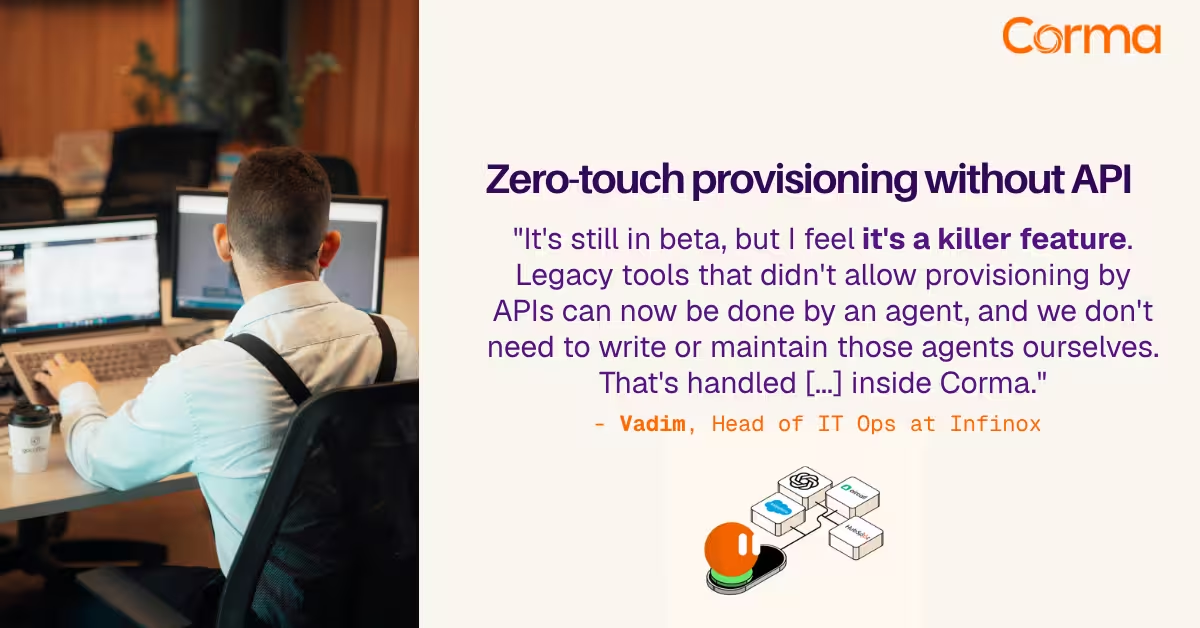
Vadim: The customizability of the workflow builder is what stood out first. The AI agent integration, which is still in beta, is what I'd call a killer feature. We're now onboarding, or adding provisioning for, a new application almost every week. Legacy tools that don't allow provisioning through an API can now be handled by an agent instead, and we don't need to write or maintain those agents ourselves. That's all handled in isolated containers inside Corma.
There are also some workarounds for SaaS packages that normally require an enterprise tier, like Slack and a few others, to get automatic provisioning. [unclear: Vadim referenced a further cost or licensing benefit here, but the wording was not clear enough to transcribe reliably.]
The workflow builders, automation, and usage tracking are strong, and the interface is good overall. Everything is visible in one place. The team is also building and releasing updates quickly.
Corma: Could you walk us through what happens now when someone leaves, from their last day through full offboarding?
Vadim: HR sets a termination date, or when the person leaves, we get notified automatically through a webhook, and it shows up in our offboarding list. We don't need to communicate much with HR beyond that. We check what happened with the laptop and verify what access the person has, including anything that isn't yet automatically deprovisioned by Corma. For most users, we just verify that the offboarding has happened and that it went correctly. [unclear: a further detail here, possibly a save or backup step, was not clearly transcribed.]
We'll automate more of this soon, since we're only just starting to use the workflow builder. With some of the newer features, we can set up notifications that report to our messaging systems once a user has been fully offboarded. [unclear: an additional automation option was mentioned here but not clearly transcribed.]
Offboarding is a fairly smooth process now. As a comparison, we still have a few brands where HR software isn't properly integrated, and we're pushing to get that connected at the group level. That's still a pain: we'll get an email, then have to add the date to the calendar ourselves. Right now we add the offboarding date manually in Corma in those cases, but we're getting there.
Corma: Can you give us any numbers? How much faster is offboarding now, and how many manual tasks have disappeared?
Vadim: Offboarding now takes about half an hour in total man-hours. Before, it would take two to four hours across different departments and people, for proper cleanup, analyzing the systems, and looking into everything.
Because we have a custom agent, we've been able to integrate some of our legacy software into offboarding too. In some cases there's no way to fully offboard a user because the legacy software requires full admin rights, but at minimum we can remove all their permissions, reset the password, and flag the account as a leaver. That used to be a huge amount of work; now we can bulk-find that user in the list and delete the account.
So the numbers went from two to four hours for a proper offboarding down to about half an hour for an average user, maybe up to an hour. If it's a C-level executive or someone in a more senior managerial position leaving, it takes longer, but for general users it's usually under half an hour.
Corma: What's one offboarding situation that would have been a crisis before Corma, but is now simply handled?
Vadim: I'd say any high-profile offboarding at the end of the week. When HR flags that access needs to be revoked, we know the majority of it will already be revoked, so we just need to do the actual cleanup. There's no more of that "okay, everyone, get ready, drop what you're doing" scramble, even if we have six offboardings on a Friday. Before, that was a full team effort. Now it's more a case of one person going to verify that everything happened correctly, with no errors, and that's it.
Corma: How has this changed your job? What do you spend your time on now instead of manual work and spreadsheets?
Vadim: We've been building more tools, which works better for us. We now have automated monthly reports to managers about inactive users, which we send to HR and to managers, and similar reports about license usage. That's saved a lot of time, and we're reinvesting that time into building out Corma and our workflows further. We have multiple brands, each with its own complexities and differences we still need to address, so some of that time goes there too.
Spreadsheets are still in use, but there are a few changes coming from Corma soon that should help move us away from them. I was always an Excel guy myself, but I feel we're getting close to getting rid of Excel entirely and having one source of truth for all user-related activity inside Corma. Once the labeling and tagging system is in place, we'll be able to build custom reports and custom groups. We can already leave notes and comments on individual users, for example flagging that someone is a rare auditor who only logs in once a quarter to sign off on something, so the team knows not to flag that as unusual.
Corma: How do you see Corma supporting you heading into 2027, with challenges like AI usage and access security?
Vadim: Access security will definitely help us going into 2027. I'm looking forward to seeing Corma's roadmap for next year and how they plan to tackle API credential usage and monitoring, AI usage in general, agents, and so on. I'm not entirely sure yet what that will look like, but I feel it's becoming an issue, along with automation and workflows more broadly.
Most of my team enjoys building tools rather than doing mundane, manual work, and I'd say the same is true for me. Instead of manually offboarding ten users from some legacy software, I can spend a couple of hours configuring an agent inside Corma. I don't need any prompt engineering, I just follow the guidelines and it's done. It's the same with workflows: instead of manually producing a monthly inactive-users report, we can send an automated email to managers and they come back to us with feedback. It's simply more enjoyable to build and use these tools than to do the repetitive work.
I do believe that onboarding and offboarding used to be the majority of our service desk tickets and work time, based on our quarterly service desk analysis. Since we started using Corma more broadly across our brands and the group, that has finally started to go down.
Corma: When you think about scaling, if Infinox grows two or three times its current size, how does Corma support that and change the game for you?
Vadim: We've actually gone through this. The company has been in an active expansion and acquisition phase, and we've grown almost threefold in the last year, maybe a bit more. Corma handled that well: multiple workspaces, managing users, seeing where they're going, managing the archival process, and generally helping us cope with that volume of users. So while we grew roughly threefold, my IT operations team grew by less than double. That's also let us expand into other areas, since we don't need to spend as much time on onboarding and offboarding anymore.
Vadim's team went from two to four hours per offboarding to minutes, and grew threefold without doubling headcount. If that sounds like a problem you'd rather solve once, we'd be glad to show you how Corma works. Book a demo.
Corma’s custom agents in action at Infinox

Corma vs Torii: a practical alternative comparison for IT teams
SaaS Security Posture Management (SSPM): the mid-market guide
The new standard in license management
Ready to revolutionize your IT governance?