SaaS procurement policy: template + best practices (2026)
.avif)


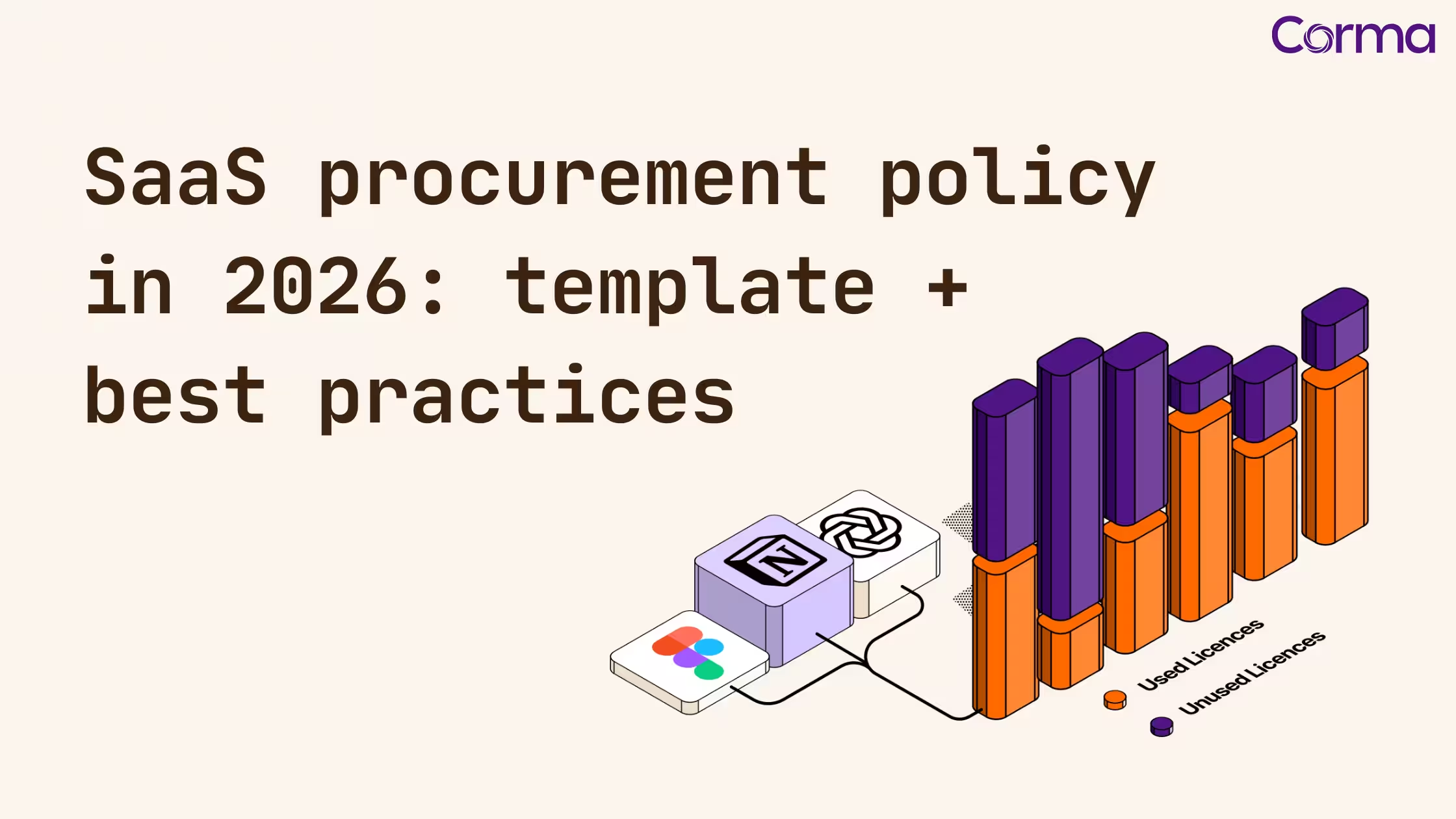
A SaaS procurement policy is the single most effective tool an IT or Finance leader can put in place to control software spend, reduce security risk, and prevent SaaS sprawl. Yet fewer than 30% of mid-sized companies have a documented one. This guide gives you a ready-to-adapt template, a step-by-step build process, and the best practices used by mature IT and Finance teams to govern their software portfolio.
What is a SaaS procurement policy?
Definition. A SaaS procurement policy is a formal document that defines how an organization evaluates, purchases, renews, and decommissions software-as-a-service subscriptions. It specifies who can approve software requests, what criteria vendors must meet, how contracts are tracked, and how access is revoked when employees leave.
Unlike traditional IT procurement, which was built around hardware cycles and multi-year on-premise licenses, the software procurement process for SaaS happens continuously. An employee can buy a new tool with a credit card in five minutes, completely outside any approval workflow. Without a clear policy, the result is predictable: duplicated tools, untracked contracts, security blind spots, and budget leakage.
A well-designed SaaS procurement policy turns that chaos into a repeatable workflow that IT and Finance can both operate from, and that scales as your stack grows.
Why does your company need a SaaS procurement policy in 2026?
You need a SaaS procurement policy because the cost of not having one is now measurable in hard euros, security incidents, and audit failures. The average mid-sized company runs over 100 SaaS applications, but IT typically has visibility into fewer than 60% of them, the rest fall under shadow IT, purchased and used without formal approval.
The business consequences are direct:
- Wasted spend. Gartner estimates that 25 to 35% of SaaS budget is spent on unused or underutilized licenses.
- Security exposure. Every unapproved SaaS tool is a potential data breach vector, a particularly acute issue under GDPR and the new NIS2 obligations.
- Compliance risk. Without a documented SaaS buying process, audit trails are incomplete and access governance becomes impossible to enforce.
- Lost negotiation leverage. Auto-renewing contracts that nobody reviews are almost never renewed at the best rate.
The challenge isn't awareness, most CIOs and CFOs see the problem clearly. The challenge is implementation: most organizations lack a repeatable, documented framework that IT and Finance can both work from.
That's exactly what the next sections solve.
Related reading: The CFO's Guide to Optimizing SaaS Spend
What are the key components of an effective SaaS procurement policy?
An effective SaaS procurement policy contains eight core components: scope, stakeholder roles, request workflow, vendor evaluation criteria, approval thresholds, contract management, offboarding rules, and an exceptions process. Each component closes a specific gap that creates either spend waste or security risk if left unmanaged.
Scope and applicability
This section defines which purchases the policy actually covers, typically any subscription above a defined cost threshold (commonly €50/month or €500/year), and any tool that processes company or customer data, regardless of cost. Free-tier tools should still be declared, even if not formally approved.
Stakeholder roles and responsibilities
A clear policy names every role involved in a software purchase: the requesting employee, the department manager, IT, Finance, Legal, and, for larger organizations, a procurement committee. Without named owners, the policy becomes advisory rather than enforceable.
Software request and approval workflow
This is the operational core of the policy. It defines the intake form employees use to request a new tool, the order of reviews (business, technical, financial, legal), and the SLA each reviewer must respect. A typical end-to-end cycle should take no more than 5 business days for standard requests.
Vendor evaluation criteria
Before any contract is signed, IT must validate that the vendor meets baseline standards on security (SOC 2 Type II or ISO 27001), data residency, SSO/SCIM compatibility, pricing model, and support SLA. For tools handling personal data, a Data Processing Agreement (DPA) review by Legal is mandatory.
Approval thresholds (approval matrix)
Approval authority should be tiered by annual contract value and data sensitivity, not by job title. A €200/month HR tool processing employee records warrants more scrutiny than a €5,000 development tool that touches no personal data.
Contract and renewal management
Every contract must live in a centralized register, with renewal alerts set at 90, 60, and 30 days before the auto-renewal date. Tools with fewer than 50% active users should be flagged automatically for consolidation or downgrade.
Offboarding and license reclaim
When an employee leaves, all SaaS licenses must be revoked within 24 hours of their last day, and reclaimed licenses must be returned to the available pool within 30 days. This is the single highest-leverage source of SaaS savings in most organizations.
Exceptions process
Urgent purchases that can't wait for the standard cycle need a clear fast-track path, verbal approval by manager and IT, with a retroactive formal request within 5 business days. Repeated exceptions by the same team should trigger an audit.
Related reading: Ditch the Spreadsheets: Automating Your SaaS Stack
SaaS procurement policy template (free, ready-to-adapt)
The following template is structured so you can copy it into a Notion page, a Google Doc, or your internal wiki and adapt the thresholds, role names, and criteria to your context. It's deliberately written as a working policy, not a marketing summary.
SaaS & Software Procurement Policy - Template
Policy name: SaaS & Software Procurement Policy Version: 1.0 Owner: IT Manager / CIO Effective date: [Date] Review cycle: Annual
1. Purpose and scope
This policy governs the evaluation, purchase, renewal, and decommissioning of all SaaS applications and software subscriptions used by [Company Name].
It applies to:
- All employees, contractors, and third-party users
- All purchases funded by company budget, including departmental credit cards and expense reports
- Any tool that processes, stores, or transmits company or customer data
It does not apply to free-tier tools with no data exchange and no budget impact (though these must still be declared), nor to IT infrastructure contracts governed by a separate vendor management policy.
2. Stakeholder roles and responsibilities
The following roles are involved in every SaaS purchase:
- Requesting employee: submits the software request with justification, budget estimate, and use case.
- Department Manager: validates the business need and confirms budget availability.
- IT Manager / CIO: reviews security posture, integration requirements, and license model.
- Finance / CFO: approves contracts above defined thresholds and maintains the contract register.
- Legal: reviews the Data Processing Agreement (DPA) for any tool processing personal data.
- Procurement Committee: acts as the final approval body for enterprise contracts above €25,000 annually.
3. Software request and approval workflow
Every new SaaS purchase must follow this sequence:
- The employee submits a request via the intake form (see Appendix A), including: tool name, vendor, business justification, estimated cost, billing cycle, number of seats, and data classification.
- The Department Manager approves or declines the business case within 3 business days.
- IT reviews security and compliance posture: SSO compatibility, data residency, SOC 2 / ISO 27001 certification, and API availability.
- Finance confirms budget availability against the relevant cost center.
- Legal reviews the DPA if the tool processes personal data.
- Final approval is granted based on the approval matrix below.
4. Approval matrix
Approval authority is tiered by annual contract value:
- Under €500/year - Department Manager
- €500 to €5,000/year - IT Manager and Finance
- €5,000 to €25,000/year - CIO and CFO
- Above €25,000/year - Procurement Committee
Any tool processing personal or confidential data requires IT approval regardless of cost.
5. Vendor evaluation criteria
Before approval, IT must validate that the vendor meets the following baseline:
- Security certifications - SOC 2 Type II or ISO 27001, with MFA enforcement and role-based access controls.
- Data residency - Storage location compliant with applicable regulations (GDPR, NIS2, etc.).
- SSO compatibility - SAML and SCIM support for integration with the company's Identity Provider.
- Pricing model - Documented and revisable license model (per-seat, usage-based, or hybrid).
- Support SLA - Defined response times for business-critical tools.
- Vendor viability - Financial stability check for any contract above €10,000/year.
6. Contract and renewal management
- All contracts must be stored in the centralized SaaS contract register maintained by IT and Finance.
- Renewal reminders are set at 90, 60, and 30 days before auto-renewal.
- A usage and cost review must be completed before any renewal above €1,000 is approved.
- Tools with fewer than 50% active users are flagged for consolidation or downgrade.
- Auto-renewal opt-outs must be confirmed in writing with the vendor at contract signature.
7. Offboarding and license reclaim
- When an employee leaves the company, all their SaaS licenses must be revoked within 24 hours of their last day.
- Licenses from departing employees must be returned to the license pool and reassigned or cancelled within 30 days.
- An annual audit of all active licenses against current headcount must be conducted by IT.
Related reading: Empowering Employees with Simple Software Procurement
8. Exceptions process
Urgent purchases that cannot wait for the standard cycle must:
- Be approved verbally or by email by the relevant manager and IT.
- Be documented through a formal request submitted retroactively within 5 business days.
- Not exceed €500 in annual value without CIO sign-off.
Repeated exceptions by the same requester or department trigger a review of the department's SaaS usage and procurement compliance.
How do you build a software procurement process step by step?
Building a software procurement process from scratch takes 4 to 6 weeks for a mid-sized organization, and follows a logical sequence of eight steps. Trying to roll out the policy before completing the audit and stakeholder mapping is the single most common reason these initiatives fail.
Step 1 - Audit your current SaaS stack
Before writing any policy, you need to know what you're dealing with. A full SaaS discovery, including shadow IT, typically surfaces 30 to 50% more applications than what's currently in your register.
Step 2 - Map stakeholders and define ownership
In most organizations, SaaS procurement is fragmented: some tools are owned by IT, others by Finance, others by individual department heads. The policy only works if one team, typically IT, holds coordination ownership, with Finance as a co-governance partner.
Step 3 - Design the intake form
The request form is the operational front door of your policy. Keep it short: tool name, use case, data classification, estimated cost, number of seats. Anything more creates friction and pushes employees back to bypass routes.
Step 4 - Set your approval matrix
Define thresholds based on contract value and data sensitivity, not job titles. The principle: the more money or sensitive data involved, the more senior the approver, and the more stakeholders are looped in.
Step 5 - Build the contract register
A spreadsheet works at first. But once your stack passes 50 applications, manual tracking breaks down. The register must capture: tool name, vendor, contract start and end dates, auto-renewal terms, contract owner, annual cost, and license count.
Step 6 - Set renewal alerts
The most expensive form of SaaS waste comes from contracts that auto-renew without review. Set calendar alerts at 90, 60, and 30 days before renewal for any contract above your minimum threshold; below that threshold, a single 30-day alert is enough.
Step 7 - Integrate with your HR system
Offboarding is where the worst security gaps are created. Connecting your SaaS management process to your HRIS ensures license revocation happens automatically when an employee leaves, not three weeks later, when someone notices.
Step 8 - Communicate and train
A procurement policy that nobody knows about is a procurement policy that doesn't exist. Run a brief all-hands walkthrough, publish the process in your internal wiki, and make sure every department head understands the approval matrix.
Related reading: The Silent Crisis: Winning the Battle Against SaaS Sprawl
What are the best practices for a mature SaaS procurement workflow?
The best practices below are what separates a policy that exists on paper from one that actually changes how software is bought, renewed, and offboarded. They're drawn from the workflows of IT and Finance teams that have run their SaaS procurement process for at least 12 months.
- Mandate SSO for any tool above your cost threshold. SAML/SCIM integration is both a security baseline and the technical prerequisite for automated provisioning and offboarding. No SSO support, no approval, except for documented exceptions.
- Review utilization quarterly, not annually. License waste compounds between annual reviews. A lightweight quarterly utilization check on your top 20 contracts catches most of the waste before it scales.
- Consolidate before you add. Before any new tool is approved, the requesting team must confirm that no existing tool in the stack already covers the use case. Functional overlap is the largest single driver of unnecessary SaaS spend.
- Negotiate pricing at renewal, not at signature. Counterintuitively, renewal is when vendors are most willing to negotiate, particularly when you bring utilization data to the conversation. Treat every renewal as a negotiation opportunity, not an administrative formality.
- Document what was rejected and why. A simple decision log prevents the same tool from being requested three times by three different teams. It also gives you institutional memory when team members leave.
- Treat free tools with the same diligence as paid ones. Free tiers often process the same data as paid plans. A freemium tool that integrates with your CRM or HRIS is not a no-cost decision from a security or compliance perspective.
Related reading: Navigating the SaaS Jungle: 6 Signs It's Time to Manage Your Licenses
How does Corma automate your SaaS procurement process?
Implementing a SaaS procurement policy with spreadsheets and email threads is a valid starting point, but it doesn't scale. As your stack grows, the operational load of running the policy manually grows in lockstep. Corma is a SaaS Management Platform purpose-built for IT and Finance teams that need to govern their software portfolio without adding administrative overhead.
Here's how Corma supports each layer of the software procurement process:
- Automated SaaS discovery. Corma detects every app in use across the organization, including shadow IT, through a browser extension and direct integrations with your IdP, finance system, and HRIS. The discovery layer typically surfaces 30 to 50% more applications than the existing register.
- Centralized contract register. Every contract, with renewal date, cost, owner, and license count, lives in one searchable repository. No more Excel files passed by email.
- Configurable renewal alerts. Notifications are triggered automatically at 90, 60, and 30 days before any contract renewal, assigned to the right contract owner, not a generic mailbox.
- Real-time license utilization. Per-tool, per-seat usage data identifies unused licenses in one click, turning the renewal conversation from "should we renew?" into "here's what we actually use."
- HR-driven offboarding. When an employee departure is recorded in your HRIS, Corma triggers automatic license revocation across all connected tools, closing the 24-hour offboarding window without manual ticket work.
- Spend dashboard for IT and Finance. Full SaaS spend visibility by team, vendor, and category, with the data formatted for both IT operational decisions and Finance reporting cycles.
Unlike generic procurement tools, Corma is designed specifically for the SaaS context, which means it natively understands subscription billing, license pools, and the identity layer that connects access to spend.
- Explore Corma's SaaS Management solution →
- See how Corma helps Finance teams manage SaaS subscriptions →
- Calculate your SaaS ROI with Corma →
Ready to bring structure to your SaaS procurement workflow?
A SaaS procurement policy is one of the highest-leverage investments an IT or Finance leader can make in 2026. It doesn't require a large team or a complex tool to get started, it requires clarity on who decides, how requests flow, and what happens at renewal.
The template in this guide gives you a production-ready starting point. Adapt the thresholds to your organization, assign ownership, communicate the process clearly. Then, as your stack scales, let a tool like Corma handle the operational execution, so your team spends its time on decisions, not on administration.
Request a demo of Corma and see how leading IT and Finance teams are managing their software portfolio, from discovery to renewals, in a single platform.
FAQ
What is a SaaS procurement policy?
A SaaS procurement policy is a formal document that governs how a company evaluates, purchases, renews, and offboards software subscriptions. It defines roles, approval workflows, vendor evaluation criteria, and renewal management rules, ensuring that software spending is controlled, documented, and aligned with security and compliance requirements.
Who should own the SaaS procurement process in a company?
Ownership typically sits with the IT Manager or CIO, with Finance playing a co-governance role on budget approvals and contract management. In larger organizations, a dedicated procurement function or a joint IT/Finance committee may own the process. What matters most is that a single team has coordination responsibility, distributed ownership without a clear lead creates the gaps the policy is designed to prevent.
How is a SaaS procurement policy different from a general IT procurement policy?
A general IT procurement policy is designed for hardware, on-premise software, and large enterprise contracts, typically infrequent, high-value purchases managed by a procurement team. A SaaS procurement policy addresses the specific characteristics of SaaS: subscription billing, continuous renewal cycles, seat-based licensing, and the ease with which employees can bypass formal approval. The workflows, thresholds, and tooling required are fundamentally different.
What should a SaaS vendor evaluation checklist include?
At minimum, a vendor evaluation should cover: security certifications (SOC 2 Type II, ISO 27001), data residency and GDPR compliance, SSO/SAML compatibility with your Identity Provider, pricing model (per-seat vs. usage-based), support SLA, and, for larger contracts, vendor financial viability. For tools that process personal or confidential data, a Data Processing Agreement (DPA) review by Legal is mandatory.
How do you prevent employees from bypassing the SaaS procurement process?
The most effective approach is to make the compliant path easier than the non-compliant one. This means keeping the intake form short, setting a fast SLA for approvals (3 to 5 business days), and offering a clear exceptions path for urgent needs. Pairing the policy with a tool like Corma, which surfaces shadow IT automatically, also removes the incentive to bypass the process, since unapproved tools are discovered regardless.
How often should a SaaS procurement policy be reviewed?
An annual review is the standard minimum. Organizations with rapidly growing SaaS stacks or frequent M&A activity should review the policy every six months. Out-of-cycle review triggers include: a significant change in company size or structure, a security incident involving an unapproved tool, or a major shift in the vendor landscape (such as the emergence of AI-powered SaaS tools requiring new data governance rules).
How long does it take to implement a SaaS procurement policy?
For a mid-sized organization, a full implementation, from initial audit to live policy and active workflows, typically takes 4 to 6 weeks. The first two weeks are spent on the SaaS discovery and stakeholder mapping; the next two weeks on policy drafting, approval matrix design, and tool selection; the final two weeks on rollout, training, and integration with the HRIS. Faster rollouts skip the audit and rarely produce a policy that's actually followed.
SaaS vendor and renewal management: control renewals

Separation of Duties in IAM: how to enforce SoD across SaaS
Using Google Workspace as an IAM in Small and Mid-Size Teams
The new standard in license management
Ready to revolutionize your IT governance?