Shadow IT in 2026: how to detect, manage and reduce unauthorized SaaS usage
.avif)


Shadow IT is no longer an edge case. In 2026, the SaaS management platform Zylo estimates that unsanctioned applications make up roughly 45% of an organization's software. In other words, nearly half of the tools your company runs on may sit outside the visibility of your IT team.
The instinct is to treat this as a security problem to be blocked. That instinct is part of why shadow IT keeps growing. Employees do not adopt unsanctioned tools to cause harm. They adopt them because the approved option is missing, slow, or worse than the alternative. The real task is not to police every download. It is to close a control loop: see every app, judge it on risk and cost, decide what to do, remediate the access, and keep governing as the stack changes.
This guide gives IT leaders that loop. It defines shadow IT, separates it from the fast-rising problem of shadow AI, breaks down the five ways to detect it (and where each one is blind), and lays out a practical management process built for mid-market teams rather than enterprise security operations centers. It also looks at the European angle that most guides ignore: where your shadow apps actually store regulated data.
What is shadow IT?
Shadow IT is any software, hardware, or cloud service used inside an organization without the approval, knowledge, or oversight of its IT department. It covers a free file-sharing account a marketer signed up for, a paid SaaS tool a team expensed on a corporate card, a browser extension connected to company email, and unmanaged devices accessing corporate data.
The term refers only to tools brought in by legitimate employees, not malware planted by attackers. The defining trait is invisibility: because IT does not know the tool exists, it cannot secure it, license it, or switch it off when someone leaves.
Most shadow IT today is SaaS. A credit card and two minutes are enough to deploy a sophisticated cloud application, which is why the problem scales faster than any approval process. Left unmanaged, it feeds directly into SaaS sprawl, the slow accumulation of redundant and forgotten subscriptions that drains budget and widens the attack surface.
Common examples of shadow IT
- A team subscribes to a project management tool that duplicates the one IT already pays for.
- An employee shares client files through a personal cloud drive instead of the sanctioned platform.
- A department buys a marketing tool and connects it to Google Workspace through an OAuth grant.
- A contractor keeps using an app on a personal device after their contract ends.
- Someone pastes internal data into a free AI assistant that was never reviewed.
That last example is where shadow IT and shadow AI now overlap.
Shadow IT vs shadow AI: what is the difference?
Shadow AI is the unsanctioned use of artificial intelligence tools, and it is the fastest-growing subset of shadow IT. The difference is in the risk profile: shadow IT mainly exposes your infrastructure and stored files, while shadow AI exposes the data your employees feed into prompts in real time.
The scale is already significant. According to IDC's 2025 research, 56% of employees use AI tools their organization has not approved, while only 23% use AI that is provided and governed. Palo Alto Networks has reported that organizations run an average of 66 generative AI applications, with around 10% classified as high risk.
Three things make shadow AI harder to manage than classic shadow IT:
- It often hides inside approved tools. AI features get switched on inside software security teams already cleared, so they never get a fresh review.
- Its traffic looks normal. A sensitive prompt travels over standard HTTPS, indistinguishable from ordinary web activity, so network monitoring rarely catches it.
- The data can be retained. On consumer-tier accounts, prompts may be used to train future models by default, which turns a quick shortcut into a lasting exposure.
The practical takeaway: treat shadow AI as part of the same control loop, not as a separate project. For a deeper look, see our piece on the rise of shadow AI.
Why shadow IT is still growing in 2026
Shadow IT persists because the conditions that create it have only intensified. Understanding the drivers is what makes management possible, because every driver points to a fix.
- Speed beats process. When the approved path takes two weeks and the alternative takes two minutes, employees choose two minutes.
- SaaS is frictionless. Self-service signup and freemium tiers mean no purchase order is needed to bring a new tool into the company.
- Remote and hybrid work. Distributed teams adopt tools to collaborate without ever touching the corporate network, so traditional perimeter controls miss them.
- The AI rush. Employees experiment with AI assistants faster than any governance team can vet them.
- A real unmet need. Most shadow IT is a signal that the sanctioned stack has a gap. The IBM Institute for Business Value has found that 41% of employees acquired, modified, or created technology without their IT team's knowledge, usually to get work done.
Shadow IT, in other words, is rarely a discipline problem. It is a product and process problem that IT can solve by offering better defaults and closing the gaps that push people to go around them.
The real risks of shadow IT
Unsanctioned tools create exposure across three fronts at once: security, compliance, and cost. A complete view of the problem has to hold all three together, because fixing one in isolation usually misses the others.
Security: you cannot protect what you cannot see
Every shadow app is an unmonitored door into company data. IT does not patch it, does not enforce multi-factor authentication on it, and does not know who has access. When an employee leaves, their account often stays live. Misconfigured cloud services are a leading breach vector: IBM has estimated that breaches caused by cloud misconfiguration cost on average 4.41 million US dollars. The accounts that bypass single sign-on are precisely the ones IT can least account for, which is why offboarding apps that do not support SCIM or SSO is one of the hardest parts of the job.
Compliance: the question nobody else asks
This is where most shadow IT guides stop short. For a European or EU-serving company, the critical question about any unsanctioned app is not only "is it secure" but "where does it store our data".
A shadow app can quietly break commitments you have made under the GDPR on data location and processing. It can undermine your readiness for the NIS2 directive, which raises the bar on supply-chain and access security for a wide range of organizations. And it directly threatens an ISO 27001 certification, where you must be able to prove an accurate asset inventory and controlled access. You cannot evidence a control over an app you did not know existed.
Cost: the budget leak you are already paying for
Shadow IT is expensive in ways that rarely show up as a single line item. It produces duplicate subscriptions, orphaned licenses billed long after people stop using them, and renewals that auto-charge with no negotiation. CrowdStrike has cited Everest Group research suggesting that close to half of IT spend can sit "in the shadows". Bringing it into the light is one of the highest-return moves available to a finance and IT partnership, and it is the foundation of any serious SaaS spend optimization effort.
Is shadow IT ever beneficial?
Yes, and ignoring that fact is a mistake. Shadow IT shows you where employees are trying to be more productive and where your approved stack falls short. The goal is not to crush it but to convert it: capture the signal, then bring the useful tools under governance and retire the rest.
How to detect shadow IT: 5 discovery methods compared
You cannot manage shadow IT until you can see it, and no single discovery method sees all of it. Each common technique catches a different slice of the problem and is blind to the rest. The honest answer is that effective discovery combines several signals at once.
Here is why each method on its own leaves gaps:
- Financial discovery catches anything that hit a card or an expense report, but misses every free and freemium tool, which is exactly where shadow AI lives.
- Email metadata is broad because almost every app sends a signup or billing email, but it misses tools used only with personal email.
- OAuth and SSO grants reveal what is connected to Google Workspace or Microsoft 365 and rank it by permission scope, but ignore apps outside that ecosystem.
- Network and CASB monitoring sees on-network traffic on managed devices, but goes dark for off-network and personal-device usage, and struggles to tell shadow AI prompts from normal web traffic.
- Identity provider logs confirm what authenticates through your IdP, but by definition cannot see the apps that bypass SSO altogether, which is the most common shadow pattern.
The practical conclusion is convergence. A tool that correlates financial, email, OAuth, and identity signals in one inventory closes the blind spots that any single method leaves open. If you are evaluating options, our roundup of shadow IT discovery tools compares the main approaches in detail.
The shadow IT management lifecycle: a 5-step control loop
Discovery is the start, not the finish. Managing shadow IT means running a repeatable loop that turns a raw list of unknown apps into a governed, continuously controlled stack. This is the operational playbook that most definitional guides leave out.
Step 1: Discover
Build one continuously updated inventory of every application, account, and integration, using the converged approach above. A point-in-time spreadsheet is obsolete the week you finish it.
Step 2: Assess
Score each discovered app on three axes at once: security (data access, SSO support, vendor posture), compliance (data residency, certifications, regulatory fit), and cost (price, overlap with existing tools, usage). This is where the European data-location question gets answered for every app.
Step 3: Decide
Route each app to one of four outcomes. Clear criteria keep the decision consistent and defensible.
The guiding principle sits in the highlight row: govern, do not just block. Whenever you remove a tool, offer a sanctioned alternative. Hard blocks without a replacement are the single most reliable way to push usage further underground.
Step 4: Remediate
This is the step pure security tools handle poorly. Sanctioning an app means bringing it under automated provisioning and onboarding and connecting it to single sign-on. Retiring one means revoking OAuth grants, reclaiming licenses, and deprovisioning every account. Doing this reliably depends on solid identity governance and clean lifecycle management, which is also why the difference between SCIM vs SAML matters in practice.
Step 5: Govern continuously
Shadow IT is not a one-time cleanup. New apps appear every week. Continuous monitoring plus periodic automated and compliant access reviews keep the loop closed. Pairing this with a clear SaaS procurement policy reduces how much shadow IT appears in the first place, by giving employees a fast, sanctioned way to request what they need.
This is the same battle covered in our look at IT leaders winning the fight against SaaS sprawl: visibility first, then a repeatable process.
What shadow IT really costs
Vague warnings that shadow IT "wastes money" do not help anyone build a business case. It is more useful to model where the money actually leaks. The table below is an illustrative framework for a 200-employee company, meant as a way to size the problem rather than a precise quote.
Two points stand out. First, the recurring leaks (duplicate and orphaned licenses, procurement leakage) are larger and far more frequent than the dramatic one-off breach, even though the breach gets all the attention. Second, this is recoverable budget. Companies that gain full visibility and act on it through consolidation and license reclaim routinely cut a meaningful share of SaaS spend, which makes shadow IT management one of the rare IT initiatives that pays for itself. Tightening SaaS subscription management is usually where the recovered budget shows up first.
How Corma helps you manage shadow IT
Most tools on the market handle one slice of this loop. CASBs watch the network. Spend platforms read the invoices. Identity tools govern the directory. The result is that the discovery, the decision, and the remediation each live in a different system, and the loop never fully closes.
Corma is built to close it in one place. It is the European platform that combines SaaS management and IAM, so the same system that gives you full visibility to prevent shadow IT also governs the identities and access behind every app. Discovery, decision, and remediation happen in one loop rather than three disconnected tools.
For mid-market teams specifically, that convergence matters:
- One converged inventory. Corma correlates financial, identity, and usage signals to surface shadow apps, instead of relying on a single method with built-in blind spots.
- Genuine EU hosting and native GDPR alignment. For the data-residency question that decides compliance, Corma keeps your data in the EU, a real difference from US-hosted alternatives.
- ISO/IEC 27001:2022 certified and NIS2-ready, so the inventory and access controls you need for audits are produced as a byproduct of daily operations.
- Recognized in the 2025 Gartner Magic Quadrant for SaaS Management Platforms.
- Up to 30% lower SaaS costs through consolidation and license reclaim, with implementation typically under a month for a growing company.
It is designed for the people who carry this problem day to day: IT teams automating SaaS and access, and security teams staying compliant without slowing the business. You can see how this plays out in practice in the story of automated IAM at Apgar.
Ready to see your real shadow IT footprint? Book a demo and get a converged inventory of every app in your stack.
Frequently asked questions
What is shadow IT?
Shadow IT is any software, hardware, or cloud service used in an organization without the IT department's approval or knowledge. It most often takes the form of SaaS applications adopted by employees or teams to work faster, outside official procurement and security review.
What are common examples of shadow IT?
Typical examples include personal cloud storage used for work files, a team buying a SaaS tool that duplicates an approved one, browser extensions connected to company email, unmanaged devices accessing corporate data, and free AI assistants used with internal information.
What is the difference between shadow IT and shadow AI?
Shadow IT is the unsanctioned use of any software, hardware, or service. Shadow AI is a subset that specifically involves unapproved AI tools. The key distinction is risk: shadow IT mainly exposes infrastructure and stored data, while shadow AI exposes the data employees type into prompts, which a consumer tool may retain or use for training.
Why is shadow IT a security and compliance risk?
Because IT cannot secure or audit an app it does not know about. Unsanctioned tools go unpatched, often skip multi-factor authentication, and keep accounts live after people leave. They can also store regulated data in the wrong location, breaking GDPR commitments and undermining ISO 27001 and NIS2 readiness, since you cannot evidence a control over an unknown asset.
How do you detect shadow IT?
By combining several discovery methods, because none is complete on its own: financial and expense data, email metadata, OAuth and SSO grants, network or CASB monitoring, and identity provider logs. A converged tool that correlates these signals into one inventory closes the blind spots that any single method leaves.
How can a company reduce shadow IT without blocking employees?
Lead with a sanctioned alternative. Discover the unapproved tools, decide whether to consolidate, sanction, restrict, or revoke each one, then bring useful tools under single sign-on and offer a fast, clear request process. Hard blocks with no replacement simply push usage further underground.
Is shadow IT always bad?
No. Shadow IT signals where employees are trying to be more productive and where the approved stack falls short. Managed well, it becomes a source of insight: you adopt the genuinely useful tools under governance and retire the redundant or risky ones.
Who is responsible for managing shadow IT?
The IT team usually owns it, working closely with security on risk and with finance on cost. Because shadow IT spans identity, spend, and compliance at once, the most effective approach gives one platform visibility across all three rather than splitting ownership across disconnected tools.
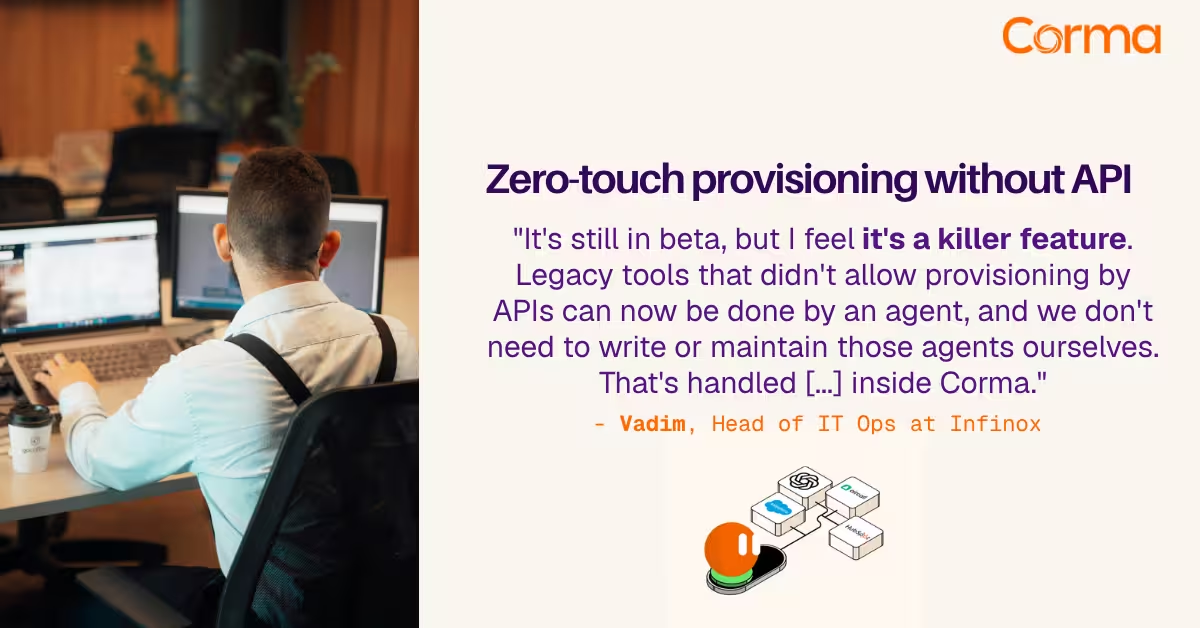
Corma’s custom agents in action at Infinox

Corma vs Torii: a practical alternative comparison for IT teams
SaaS Security Posture Management (SSPM): the mid-market guide
The new standard in license management
Ready to revolutionize your IT governance?