SaaS Management for Small Businesses: What You Need Before 100 Apps



Short answer: a small business does not need a heavy tool to manage its SaaS. It needs five controls: a complete app inventory, one owner per app, offboarding in one place, a renewal calendar and a regular license check. Up to about 20 people, your identity provider and a shared sheet can cover this. From around 30 people or 50 apps, or as soon as the team works remote-first, a lightweight SaaS management tool connected to Google Workspace or Microsoft Entra ID is usually worth it, because offboarding and renewals stop depending on one person's memory.
Most guides on this topic are lists of vendors written for companies with an IT department. A 25-person startup or a 120-person agency has a different problem. There is often no IT manager, tools are bought by whoever needs them, and the person who knows which accounts exist is usually a founder, an office manager or the one engineer who set up Google Workspace.
This guide is written for companies under 250 people, including remote-first teams. It explains which controls matter first, what you can safely ignore until later, which tools fit each stage of growth, and how to set everything up in 30 days.
What SaaS management means for a small business
SaaS management is the practice of knowing which cloud applications your company uses, who has access to each one, what they cost and when they renew, and acting on that information: removing access, cutting unused licenses and deciding renewals on purpose.
In a large company this is a program with dedicated staff. In a small business it is a handful of habits and, past a certain size, one tool. The goal is the same in both cases:
- Visibility: every app, including the ones bought on a card or signed up for with "Sign in with Google".
- Control of access: people get the apps they need on day one and lose them on their last day.
- Control of spend: no renewal happens by surprise, and no one pays for seats nobody uses.
What changes with size is how much of this you can do by hand.
The real problem: accounts nobody closes
The number of apps is not what hurts a small business. The stock of accounts is.
Every tool someone tried, every free trial that became a paid plan, every contractor invited to a workspace leaves an account behind. When people leave, the main email account gets suspended, but the accounts in the design tool, the CRM, the analytics tool or the shared password manager often stay open. These orphaned accounts keep access to company data and, on paid plans, keep costing money.
The pattern is not specific to small companies. According to Zylo's 2026 SaaS Management Index, organizations leave 36% of their SaaS licenses unused, add around 21 new applications per month, and business units control 81% of SaaS spend while IT manages only 15%. In a small business without an IT team, the share bought outside any central process is often higher still.
This is how SaaS sprawl starts: not with a bad decision, but with dozens of reasonable ones that nobody records. The apps nobody tracks are also your shadow IT, and they are usually where ex-employee accounts survive the longest.
The 5 controls that matter before 100 apps
| Control | What it prevents | Time to set up by hand | When to automate |
|---|---|---|---|
| 1. App inventory | Paying for and exposing data in apps nobody knows about | 1 to 2 days | From about 50 apps |
| 2. One owner per app | Renewals and access requests with nobody accountable | Half a day | Rarely needed |
| 3. Offboarding in one place | Ex-employees keeping access after they leave | 1 day for the checklist | From about 30 people or monthly departures |
| 4. Renewal calendar | Auto-renewals at a higher price or seat count | Half a day | From about 20 paid contracts |
| 5. License right-sizing | Paying for inactive seats and premium tiers | 1 day per quarter | When checks take more than a day |
1. Build one app inventory
Start with two sources and merge them:
- Your identity provider: in Google Workspace or Microsoft Entra ID, export the apps connected through SSO and the third-party apps users authorized with their work account.
- Your payments: export 12 months of card statements and supplier invoices, and list every software vendor.
Apps that appear in payments but not in your identity provider are the ones to look at first: they are paid for, and nobody controls who logs in. Our guide to using Google Workspace as your IAM shows how far the admin console can take you before you need another tool.
2. Give every app an owner
One name per app, usually the person whose team uses it most. The owner approves access requests, answers "do we still need this?" before each renewal, and is the person finance asks about the invoice. Without an owner, every app belongs to everyone and nobody cancels anything.
3. Run offboarding from one place
Write a single offboarding checklist that lists every app holding company data, not only the email account. Suspending the Google or Microsoft account closes SSO apps, but it does not close accounts created with a password, apps shared with a personal email, or admin roles on external tools.
As the team grows, this is the first control worth automating. See how to automate onboarding and offboarding so that a departure closes every account on the same day.
4. Keep a renewal calendar
For every paid contract, record the renewal date, the notice period and the current seat count. Set a reminder 60 to 90 days before the notice period closes, not before the renewal date itself. Annual contracts that auto-renew are where small businesses lose the most negotiating room.
5. Right-size licenses every quarter
Once a quarter, compare seats paid with seats actually used. Remove departed users, downgrade people on premium tiers they do not need, and merge duplicate tools (two video tools, three note-taking apps). Remove the account, not only the seat: an unused license is still an open door into the app.
What a small business can skip for now
Enterprise practices are tempting to copy. Most of them cost more than they return under 250 people:
- Complex role models and role mining. A simple role per team (sales, engineering, operations) with a list of default apps is enough. Our IAM and IGA playbook for startups and scaleups explains when a more formal model starts to pay off.
- Company-wide access certification campaigns. Until a customer or an auditor asks for them, review access on the apps that hold customer data or money, not on every tool.
- Multi-level purchase approvals. A one-line buying rule works better: who can buy software, with which card, and where the purchase must be logged.
- Software asset management tools built for installed software. If almost everything you use is SaaS, a tool that counts installations on laptops will miss most of your stack.
- Outsourced negotiation services. They make sense once a few large contracts justify the fee. Before that, a renewal calendar and a quick usage check do most of the work.
Remote-first teams: what changes
Remote-first and multi-site companies need the same five controls, earlier. Three things change:
- There is no desk to clear. In an office, a departure comes with a returned laptop and a badge. Remotely, access to apps is the only perimeter left, so offboarding must close accounts, not just collect hardware.
- More apps, bought by more people. Distributed teams adopt collaboration, async video and scheduling tools per team and per time zone, often on personal or team cards. Remote work is one of the main reasons SaaS usage exploded in companies of every size.
- Contractors and freelancers in several countries. They are often invited with external email addresses, outside your identity provider, which makes them invisible to a simple account suspension.
In practice, remote-first teams should automate offboarding sooner, keep contractor accounts in a separate list with an end date, and pair app offboarding with device management if laptops are shipped to employees.
Which tools to use at each stage
There is no single best tool for every small business. What fits depends on headcount, the number of apps and whether you face audits. The table below maps stages to the tooling that usually fits.
| Stage | Typical signal | What to use | What it covers | Where it stops |
|---|---|---|---|---|
| 1 to 20 people, under 30 apps | Founders buy most tools | Google Workspace or Microsoft 365 admin console, plus a shared sheet | Accounts, SSO for core apps, list of connected third-party apps | No usage data, no renewal alerts, offboarding stays manual |
| 20 to 50 people, 30 to 80 apps | Team leads buy tools on cards, first departures | Corma Freemium to start, Corma Pro through the Startup Program, or a spend tool such as Cledara if card payments are the main issue | App discovery through the identity provider and a browser extension; card-level spend control for spend tools | Freemium covers up to 10 apps in Corma; spend tools see payments, not accounts |
| 50 to 150 people, 80+ apps, often remote | Onboarding every week, first security questionnaire from a customer | Corma Essential for visibility and spend, Corma Pro for automated provisioning and access reviews; JumpCloud if you have no directory and need device management | Shadow IT detection, spend, automated onboarding and offboarding, access reviews | Essential covers visibility and finance, automation starts with Pro |
| 150 to 250 people | First ISO 27001 or SOC 2 audit | Corma Pro, with SSO enforced through Entra ID, Okta, Google or JumpCloud | Automated provisioning, access reviews with audit-ready evidence, renewals | Beyond this size, compare the best SaaS management platforms for mid-sized companies |
A few notes on the options:
- Google Workspace and Microsoft Entra ID are the foundation at every stage. They hold the accounts, and every other tool reads from them.
- Corma Freemium connects your identity provider, a browser extension and SSO, and manages up to 10 apps at no cost and without an IT manager.
- The Corma Startup Program gives companies under 50 users up to 50% off the Pro plan, which includes automated provisioning and access reviews.
- Cledara (London) focuses on SaaS spend for startups and SMBs, with virtual cards per subscription. It is a good fit when the main problem is payments rather than access.
- JumpCloud combines a cloud directory, SSO and device management. It fits remote teams that have no directory yet; Corma connects to it as an identity source.
How much SaaS management costs a small business
There are two costs to compare: the tool, and the waste it removes.
| Option | Cost | Best for |
|---|---|---|
| Identity provider admin console plus a sheet | Included in Google Workspace or Microsoft 365, plus a few hours per month | Under 20 people |
| Corma Freemium | Free, up to 10 apps managed | Trying the approach on your core apps |
| Corma Essential | From 3 EUR per user per month, on annual engagement | Visibility, shadow IT detection and spend |
| Corma Pro | On quote, up to 50% off for companies under 50 users | Automated provisioning, access reviews, audit evidence |
Current plan details are on the Corma pricing page.
An illustrative calculation, to replace with your own numbers. Take a 40-person company spending 1,200 EUR per employee per year on SaaS, which is 48,000 EUR a year. If 20% of that spend goes to unused seats, well below the 36% unused licenses reported by Zylo, the waste is 9,600 EUR a year. Corma Essential for 40 users at 3 EUR per user per month costs 1,440 EUR a year. The time saved on each onboarding and offboarding comes on top of that.
A 30-day setup plan
| Week | Actions | Output |
|---|---|---|
| Week 1 | Export apps from your identity provider, export 12 months of software payments, merge both lists | One inventory with every app and its cost |
| Week 2 | Assign an owner per app, tag apps as critical, useful or duplicate, close every account of former employees | Owners named, orphaned accounts closed |
| Week 3 | Record renewal dates, notice periods and seat counts, set reminders, write the one-line buying rule | Renewal calendar and buying rule shared with the team |
| Week 4 | Write or automate the offboarding checklist, run the first license check, remove or downgrade unused seats before the next renewals | First savings, offboarding under control, quarterly review booked |
If you connect a tool in week 1, weeks 1 and 2 shrink to a few hours: discovery, usage data and ex-employee accounts come out of the connection instead of spreadsheets.
Why Corma for small businesses and startups
- Live in minutes, no IT manager required: connect Google Workspace or Microsoft Entra ID and see your apps, users and spend. Corma also connects to Okta and JumpCloud.
- Access and spend in one place: the same tool that finds unused licenses also closes the accounts behind them, including in apps without SCIM, through browser-based agents.
- Built to grow with you: start with Freemium, move to Essential for visibility, then to Pro when you need automated provisioning and access reviews for your first audit.
- European by design: EU hosting, GDPR alignment and ISO/IEC 27001:2022 certification. Customers report up to 30% lower SaaS costs, and full onboarding typically takes under a month.
The e-commerce startup Yoti, 30 employees and more than 40 software tools across several sites, uses Corma to handle frequent joiners and leavers. The team cut the time spent on each onboarding and offboarding by 20 to 30% and reduced annual SaaS spend by 8%, as described in Smart IT in a Retail Startup.
Book a demo to see your own inventory, unused seats and upcoming renewals in Corma.
FAQ
What is the best SaaS management tool for a small business?
It depends on your stage. Under 20 people, the admin console of Google Workspace or Microsoft 365 plus a shared sheet is usually enough. Between 20 and 250 people, a lightweight tool that connects to your identity provider, such as Corma, adds app discovery, offboarding automation and renewal tracking. If card payments are your only problem, a spend tool such as Cledara can be enough.
When does a startup need SaaS management?
The usual signals are reaching about 30 people or 50 apps, a departure where nobody can list the accounts to close, a first security questionnaire from a customer, or hiring remotely. Any one of these means manual tracking is about to break.
Can Google Workspace or Microsoft 365 replace a SaaS management tool?
Partly. They manage accounts and SSO, and show which third-party apps are connected. They do not track spend, renewals, license usage inside each app, or accounts created outside SSO with a password or a personal email.
How do remote-first companies manage SaaS access?
By treating app access as the security perimeter: one identity provider for everyone, offboarding that closes every account on the last day, contractor accounts listed with an end date, and device management for shipped laptops. Automation matters earlier than in an office-based company.
How much does SaaS management cost for a small business?
Doing it by hand costs time rather than money. Tools range from free plans, such as Corma Freemium for up to 10 apps, to per-user pricing, such as Corma Essential from 3 EUR per user per month on annual engagement. Companies under 50 users can get up to 50% off Corma Pro through the Startup Program.
What should a small business do first?
Build one inventory by merging the apps in your identity provider with 12 months of software payments. Then close the accounts of former employees. Those two steps usually reveal most of the risk and a first round of savings.
Is SaaS management different for startups and mid-sized companies?
The controls are the same, the scale is not. Startups need visibility, offboarding and a renewal calendar. Mid-sized companies add formal access reviews, approval workflows and audit evidence, and usually need broader integrations.
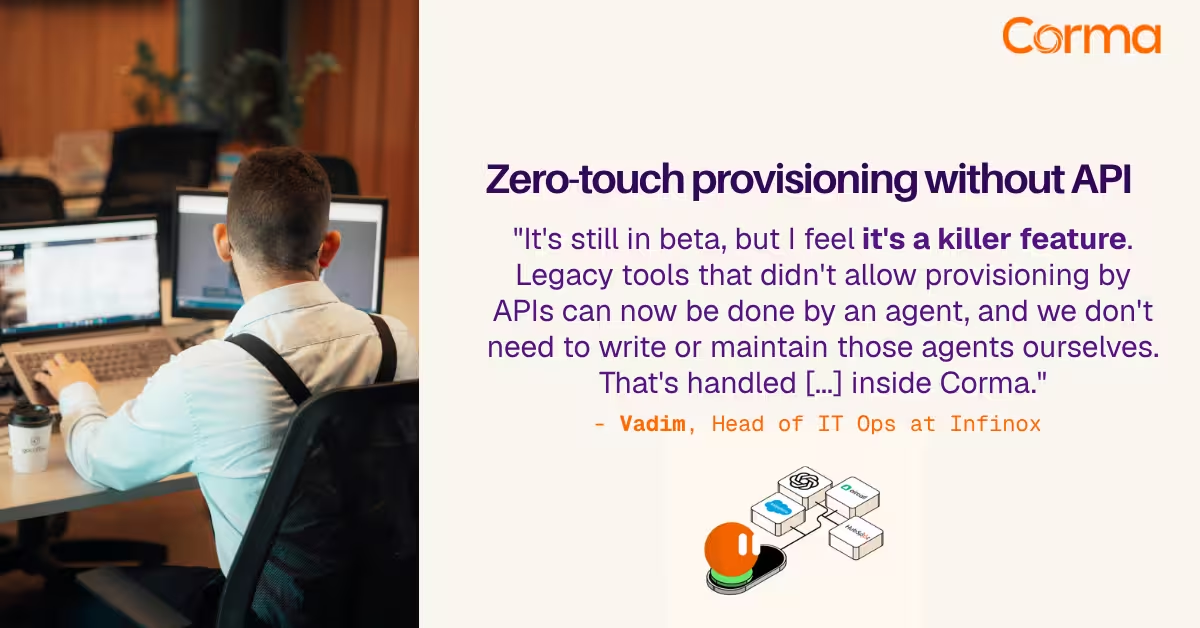
Corma’s custom agents in action at Infinox

Corma vs Torii: a practical alternative comparison for IT teams
SaaS Security Posture Management (SSPM): the mid-market guide
The new standard in license management
Ready to revolutionize your IT governance?