Software License Management Tools in 2026: 9 Options Compared
.avif)


.avif)
Search for "software license management tools" and you get two very different worlds on the same page. One is traditional software asset management: perpetual licenses, installation counts, vendor audits from Microsoft, Oracle or Adobe. The other is SaaS: per-seat subscriptions that renew automatically, tiers that creep upward, and paid seats for people who stopped logging in months ago.
Both are license management. They do not need the same tool. According to Zylo's 2026 SaaS Management Index, organizations leave 36% of their SaaS licenses unused, and add an average of 21 applications per month. A tool designed to count installations on laptops will not see most of that waste.
This guide explains the license models you are likely managing, the difference between software asset management (SAM) tools and SaaS license management tools, and compares 9 options on what they are built for. For the day to day process behind the tools, see our guide to software license management.
What is software license management?
Software license management is the practice of knowing which software licenses a company owns, who uses them, what they cost and when they renew, so that the company stays compliant with vendor terms and pays only for what it needs.
A complete license management process covers:
- Inventory: every license and subscription, with the contract terms attached.
- Usage: who uses each license, and how often.
- Compliance: making sure usage stays within what the contract allows.
- Optimization: reclaiming unused licenses, downgrading tiers, consolidating tools.
- Renewals: deciding each renewal on data instead of letting it roll over.
Our glossary entry on license management gives the short definition. The rest of this article focuses on the tools.
License models and why they need different tools
The right tool depends on which license models dominate your stack.
| License model | How it is counted | Main risk | Typical examples |
|---|---|---|---|
| Perpetual | One-time purchase per install or device | Audit exposure, over-deployment | Older desktop software, on-premise servers |
| Per-seat subscription | Per named user, billed monthly or yearly | Paying for inactive users | Most SaaS: collaboration, CRM, design tools |
| Tiered subscription | Per user, at a plan level | Users on premium tiers they do not need | Plans with basic, business and enterprise tiers |
| Usage-based | Per call, token, minute or volume | Unpredictable bills | AI APIs, cloud services, communication APIs |
| Concurrent (floating) | Number of simultaneous users | Too many or too few pooled licenses | Engineering and CAD software |
Most companies under 2,000 employees now spend far more on per-seat and tiered subscriptions than on perpetual licenses. That is where the waste concentrates, and where SaaS license management tools focus.
SAM tools vs SaaS license management tools
Software asset management (SAM) tools were built for the perpetual world. They scan devices, reconcile installations against entitlements and prepare you for vendor audits. The glossary entry on software asset management covers the discipline.
SaaS license management tools start from identities and subscriptions instead of devices. They read your identity provider, the apps' own admin APIs, finance data and sometimes browser activity to answer a different question: which paid seats are actually used, by whom, and which ones can be removed today.
| SAM tools | SaaS license management tools | |
|---|---|---|
| Starting point | Devices and installations | Users, subscriptions and apps |
| Main data | Agents, inventory scans | SSO, app APIs, finance, browser |
| Main question | Are we compliant with the vendor? | Are we paying for seats nobody uses? |
| Typical action | True-up or uninstall | Reclaim the seat, downgrade the tier |
| Best for | On-premise heavy estates, audit defense | SaaS-first companies |
Large enterprises often run both. SaaS-first small and mid-size companies usually need only the second.
What to look for in a license management tool
- Usage source quality: SSO logins alone can overstate usage. App-level activity data is more reliable.
- Coverage of apps without APIs: many tools cannot see apps that do not expose usage data. Ask how they handle them.
- Reclaim action: does the tool only report unused seats, or can it remove the account and free the license?
- Tier analysis: can it spot users on premium plans who only use basic features?
- Renewal link: are license counts tied to renewal dates, so reductions land before the next invoice?
- Evidence for audits: can it show who had access, when it was removed and by whom?
The 9 software license management tools
1. Corma
Built for: SaaS-first small and mid-size companies, especially in Europe.
Corma manages SaaS licenses from the identity side. It connects to your identity provider and your apps, measures usage per user, flags inactive and over-tiered seats, and reclaims them by removing the account. Each license is tied to a renewal date, so reductions are reflected before the next invoice. The same platform runs onboarding, offboarding and access reviews.
Strengths: reclaim through deprovisioning, renewal-aware license counts, connectors to Google Workspace, Microsoft Entra ID, Okta and JumpCloud, European hosting and ISO/IEC 27001:2022 certification.
Limits: focused on SaaS. Companies with large perpetual or on-premise estates will pair it with a SAM tool.
2. Flexera One
Built for: large enterprises with mixed on-premise, SaaS and cloud estates.
Flexera One is a full IT asset management suite covering software asset management, SaaS management and cloud costs. The 2024 acquisition of Snow Software strengthened its SAM coverage and its catalog of software titles.
Strengths: audit defense for major vendors, broad software catalog, on-premise depth.
Limits: sized for dedicated asset management teams. Heavy for a SaaS-first mid-size company.
3. ServiceNow Software Asset Management
Built for: organizations already running IT service management on ServiceNow.
ServiceNow's SAM application brings license management into the Now Platform, with software normalization, compliance reporting and a SaaS license management capability, all connected to ServiceNow workflows.
Strengths: native integration with ServiceNow ITSM and CMDB, workflow automation, enterprise reporting.
Limits: value depends on an existing ServiceNow investment. Implementation effort is significant.
4. ManageEngine
Built for: IT teams that want affordable, on-premise friendly tooling.
ManageEngine, part of Zoho Corporation, offers license management through its IT asset management products and SaaS Manager Plus for subscriptions.
Strengths: accessible pricing, broad IT tooling family, on-premise deployment options.
Limits: SaaS usage depth varies by app. Several products may be needed to cover the full scope.
5. OpenLM
Built for: engineering organizations with concurrent licenses for technical software.
OpenLM specializes in monitoring concurrent and floating licenses for engineering applications such as CAD and simulation tools, reporting on peak usage and denials.
Strengths: precise concurrent license monitoring, idle license detection, engineering software coverage.
Limits: specialized. It is not a SaaS subscription management tool.
6. Zluri
Built for: mid-market and enterprise teams combining license optimization with identity governance.
Zluri positions itself as an identity governance and administration platform with SaaS management capabilities, including app discovery, license optimization and access reviews. See how it compares in our Corma vs Zluri comparison.
Strengths: discovery, license optimization, access review workflows.
Limits: US based. European buyers should review hosting and data processing terms.
7. Torii
Built for: IT teams that want SaaS discovery and automations.
Torii describes itself as a SaaS and AI management platform. It discovers apps, tracks spend and license usage, and automates onboarding and offboarding workflows.
Strengths: discovery coverage, workflow automations, license usage tracking.
Limits: US based. Check how access removal is handled for apps without APIs.
8. Zylo
Built for: large enterprises with very large SaaS portfolios.
Zylo is an enterprise SaaS management platform focused on discovery and license utilization, aggregating finance and SSO data into one inventory.
Strengths: discovery depth, utilization reporting, renewal tracking.
Limits: enterprise orientation in pricing and implementation. Access removal usually runs through other tools.
9. Lumos
Built for: security and IT teams approaching licenses from identity governance.
Lumos presents itself as an autonomous identity platform covering identity governance, access requests and SaaS spend, with license rightsizing tied to access decisions. See our Corma vs Lumos comparison.
Strengths: identity-first approach, access request and review workflows, license rightsizing.
Limits: governance first. Teams mainly looking for spend control may find it broader than needed.
Comparison table
| Tool | Built for | License models covered | Main usage source | Reclaim action |
|---|---|---|---|---|
| Corma | SaaS-first small and mid-size companies | Per-seat, tiered | Identity provider, app APIs | Removes the account, adjusts the renewal |
| Flexera One | Large mixed estates | Perpetual, SaaS, cloud | Agents, inventory, integrations | SAM workflows |
| ServiceNow SAM | ServiceNow customers | Perpetual, SaaS | CMDB, discovery, integrations | ServiceNow workflows |
| ManageEngine | Cost-conscious IT teams | Perpetual, SaaS | Agents, integrations | Varies by product |
| OpenLM | Engineering teams | Concurrent, floating | License servers | Idle license release |
| Zluri | Mid-market and enterprise | Per-seat, tiered | SSO, app APIs, finance | Governance workflows |
| Torii | IT teams | Per-seat, tiered | SSO, app APIs, browser | Automation workflows |
| Zylo | Large enterprises | Per-seat, tiered | Finance, SSO | Recommendations, integrations |
| Lumos | Security and IT teams | Per-seat, tiered | Identity and app data | Governance workflows |
Reclaiming a license means removing access
The phrase "unused license" hides a security fact: the license is unused, but the account is still active. The person who left in March can still log in. The contractor whose mission ended still has a seat and a password.
That is why license reclaim should always start with deprovisioning, not with a lower seat count at the next renewal:
- Identify inactive and departed users per app.
- Remove the account, or downgrade it to the right tier.
- Adjust the license count before the renewal notice period closes.
- Keep the evidence: who had access, when it was removed, by whom.
Step 2 is where most tools stop and open a ticket. It is also where apps without SCIM or SSO support get forgotten. Our guide on offboarding apps that do not support SCIM, SAML or SSO covers that gap.
For European companies, step 4 matters as much as the savings. ISO/IEC 27001:2022 control 5.18 requires access rights to be removed when they are no longer needed, and auditors ask for proof. If you are still reconciling licenses in spreadsheets, our article on the signs it is time to manage your software licenses properly is a useful checkpoint.
Why Corma for SaaS license management
- Reclaim that closes the access: Corma removes the account and frees the license in one flow, including for apps managed without SCIM.
- Licenses tied to renewals: reductions are timed before notice periods close, so savings reach the next invoice.
- Tier optimization: users on premium plans who only use basic features are flagged for downgrade.
- Microsoft 365 and Google Workspace licenses included: see how Corma handles Microsoft 365 licenses.
- European by design: EU hosting, GDPR alignment, ISO/IEC 27001:2022 certification, and customers report up to 30% lower SaaS costs.
If you are also comparing broader platforms, our shortlist of the best SaaS management platforms covers discovery, security and access alongside licenses. Explore the SaaS management platform or book a demo to see your license waste in Corma.
FAQ
What is the difference between software license management and software asset management?
Software asset management (SAM) is the broader discipline covering all software assets, their lifecycle and audit compliance, historically centered on installed software. Software license management is the part that tracks licenses, their usage and their cost. For SaaS, license management is usually the part that matters most.
Do I need a SAM tool if my company is mostly on SaaS?
Usually not. SAM tools shine with perpetual and on-premise licenses and vendor audits. A SaaS-first company gets more value from a tool that reads identity and app usage data and can reclaim seats.
How do license management tools measure usage?
Through a mix of sources: identity provider logins, the app's own admin API, finance data, and sometimes a browser extension. App-level activity is the most reliable signal, because a login alone does not prove the license is needed.
What is license reclaim?
License reclaim is the process of taking back a license from a user who no longer needs it, then either reassigning it or removing it from the contract. Done properly, it includes removing the user's account in the app.
How much can license management save?
Zylo's 2026 SaaS Management Index finds that organizations leave 36% of their SaaS licenses unused. Corma customers report up to 30% lower SaaS costs once unused seats are reclaimed and renewals are adjusted.
Can a license management tool help with ISO 27001 or NIS2 audits?
Yes, if it records access removal. Auditors want proof that access rights are reviewed and removed when no longer needed. A tool that reclaims licenses by deprovisioning accounts, and keeps a log of it, produces that evidence as a by-product.
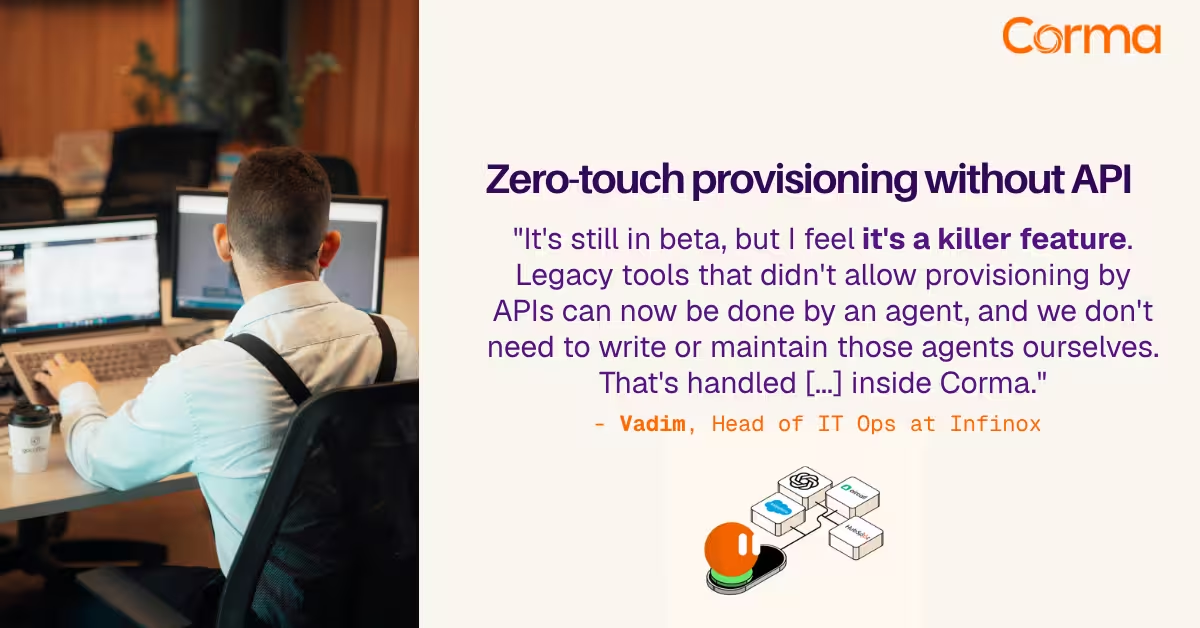
Corma’s custom agents in action at Infinox

Corma vs Torii: a practical alternative comparison for IT teams
SaaS Security Posture Management (SSPM): the mid-market guide
The new standard in license management
Ready to revolutionize your IT governance?